eSIM Guides
iPhone eSIM Compatibility List 2026: Models, Dual eSIM, and Safety
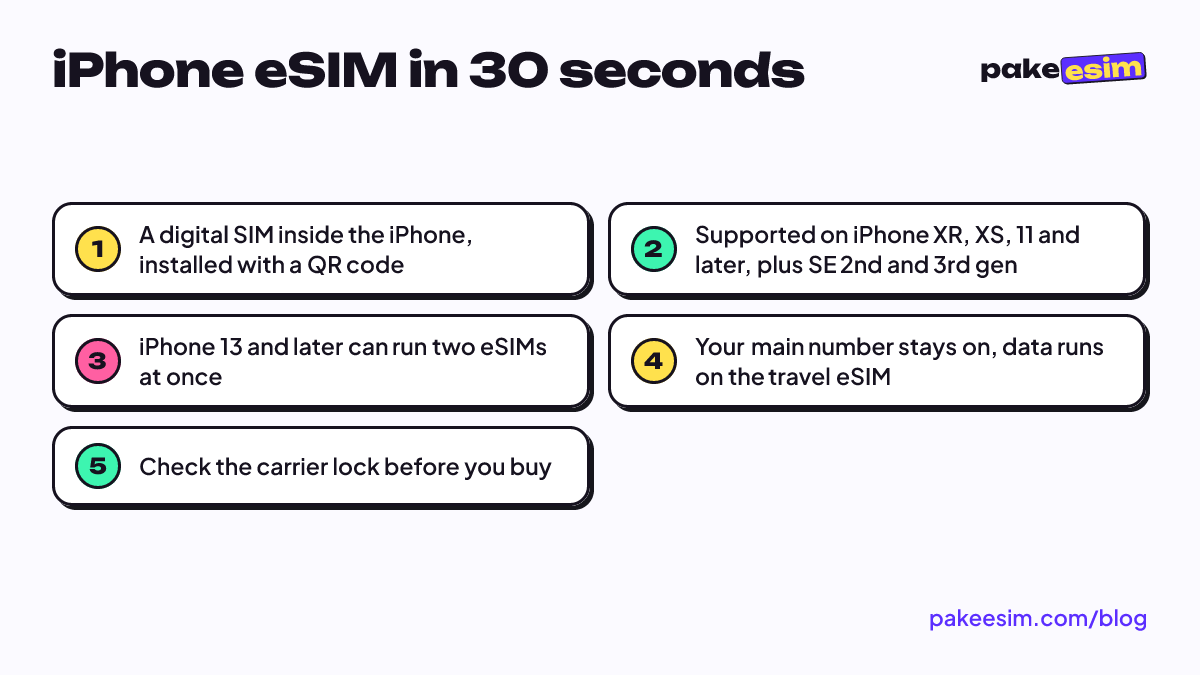
Every iPhone from the XR and XS onward has eSIM, including the SE 2nd and 3rd gen. The iPhone 13 and later can run two eSIMs at once, and your main number keeps working while a travel eSIM handles data abroad.
Contents
- What is an iPhone eSIM, exactly?
- iPhone eSIM compatibility list: which models have it?
- How many eSIMs can an iPhone 11, 13, or 15 hold?
- What can you use an iPhone eSIM for?
- Is an iPhone eSIM safe?
- eSIM, carrier roaming, or a local SIM: which one?
- Why is my iPhone eSIM not showing, getting no service, or not hotspotting?
- The Add eSIM option doesn t appear
- Installed, but no service
- Personal Hotspot won t work
- The eSIM disappeared from the list
- Can you replace an iPhone eSIM?
- Before you buy an eSIM for your iPhone
The iPhone eSIM compatibility list is short to remember: every iPhone from the XR, XS, and XS Max onward has eSIM, including the iPhone 11 through the 17 series and the iPhone SE 2nd and 3rd generation. The iPhone X, 8, 8 Plus, and the first SE don't. An eSIM is a digital SIM built into the phone, so you add a plan by scanning a QR code instead of opening the SIM tray. It shines on trips abroad, when your home number stays on the main SIM for WhatsApp and one-time codes while data runs on a travel eSIM. And a thief can't pop it out.
What is an iPhone eSIM, exactly?
Picture a regular SIM card, except the chip is permanently soldered onto the iPhone's board. Apple describes eSIM as an industry-standard digital SIM built into your iPhone. What you buy from a carrier or an eSIM store isn't a card. It's a "profile", a small bundle of network credentials that gets downloaded onto that chip.
The profile is delivered as a QR code. Scan it and the iPhone downloads the profile and shows it as a new cellular line in Settings, next to the physical SIM if you have one. So the short answer to "what does eSIM on iPhone mean" is this: the hardware has been there since the day you bought the phone. You just load a plan onto it.
You'll also run into the term EID. The EID is the identity number of the eSIM chip, and it's different from the IMEI. Dial *#06# or open Settings, General, About to see it. If an EID shows up, the eSIM chip is there.
iPhone eSIM compatibility list: which models have it?
The rule is simple. According to Apple, eSIM needs an iPhone XS, iPhone XS Max, iPhone XR, or later. The iPhone SE 2nd generation (2020) and 3rd generation (2022) count too, since they came out after the XS. The models without eSIM are the iPhone X, iPhone 8, 8 Plus, and the first-generation SE. So if you searched "can iphone x use esim" or "can iphone 8 use esim", the answer is unfortunately no.
| iPhone model | eSIM support? | Active line combination |
|---|---|---|
| iPhone 8, 8 Plus, X, SE 1st gen | No | nano-SIM only |
| iPhone XR, XS, XS Max | Yes | 1 nano-SIM + 1 eSIM |
| iPhone 11, 11 Pro, 11 Pro Max | Yes | 1 nano-SIM + 1 eSIM |
| iPhone SE 2nd and 3rd gen | Yes | 1 nano-SIM + 1 eSIM |
| iPhone 12 (all versions) | Yes | 1 nano-SIM + 1 eSIM |
| iPhone 13, 14, 15, 16, 17 (incl. Pro Max) | Yes | nano-SIM + eSIM, or 2 eSIMs |
| iPhone Air | eSIM only | 2 active eSIMs |
There are two important exceptions. First, certain iPhone models sold in Hong Kong and Macao use Dual SIM with two nano-SIM cards, and most models sold in mainland China don't support eSIM either. In our device requirements, specific CH/A and ZA/A model codes are on the list of phones that can't install an eSIM. To find yours, open Settings, General, About, then tap the Model Number row until it shows a format like MXXXX ZA/A.
Second, some iPhones work only with eSIM. Apple states that iPhone 14 models or later purchased in the United States can only be activated with an eSIM, and the iPhone Air is not compatible with physical SIM cards at all. If you bought a US-model iPhone 15 Pro Max or 17 Pro Max, the missing SIM tray is by design, not a defect.
Still not sure about your own unit? The eSIM compatibility check page lists the signs to look for, including how to read the Add eSIM menu.
How many eSIMs can an iPhone 11, 13, or 15 hold?
When people ask "how many eSIMs on iPhone", they usually mean this. The answer depends on whether you mean stored or active.
- Stored: an iPhone can store eight or more eSIMs. Profiles you aren't using can simply be turned off, no need to delete them.
- Active at the same time on iPhone XR through iPhone 12, including iPhone 11: two lines, one nano-SIM and one eSIM.
- Active at the same time on iPhone 13 and later, including iPhone 14, 15, 16, and 17: still two lines, but both can be eSIMs. Apple notes that iPhone 13 models and later also support Dual SIM with two eSIMs.
- Cellular data: only one line uses data at a time. You pick which one in Settings, Cellular, Cellular Data.
So can an iPhone run two eSIMs? Yes, on an iPhone 13 or newer. On the iPhone 11 and 12 the combo stays one physical card plus one eSIM. For travel that's plenty, because your home number lives on the nano-SIM and the overseas data plan sits on the eSIM.
What can you use an iPhone eSIM for?
eSIM isn't just a gimmick. In a few situations the difference is real.
- Internet abroad without swapping cards. This is the most common use. You install a data plan for your destination before you leave, then switch it on when you land. No hunting for a paperclip in the airport lounge.
- Two numbers on one phone. For example, a personal number on the nano-SIM and a work number on a local carrier's eSIM.
- An iPhone bought abroad, used in Indonesia. Phones bought overseas must have their IMEI registered with Indonesian Customs (Bea Cukai), and unregistered ones often get no signal on local SIMs. We cover the options in the best eSIM for an iPhone in Indonesia, from the official registration route to staying online with a roaming eSIM.
- A backup when your main carrier's signal is weak. A second profile can be turned on anytime without touching the SIM tray.
iOS keeps getting friendlier for travelers, too. On iOS 26, an iPhone can prompt you to turn on your travel eSIM when you arrive and automatically turn it off when you return, depending on your country or region. That's one step people forget, handled for you.
One thing we want to be upfront about. The travel eSIMs Pakeesim sells are data-only. No local number, no regular SMS or calls, and no top-ups. You can still call over WhatsApp or FaceTime, since those run on data.
Is an iPhone eSIM safe?
Technically, yes, and in some ways safer than a physical card. Apple lists better security among eSIM's benefits, and the reason is easy to see. A thief can pop out a physical SIM in five seconds so the phone can't be traced over the cellular network. An eSIM can't be pulled out, and removing it requires access to an iPhone locked behind a passcode.
The real risks come from how you buy and handle it, not from the technology. A few things worth watching:
- Treat the QR code like a SIM card. Whoever scans it first can use the profile. Don't post a screenshot of it in a group chat or on social media.
- A QR code can usually be scanned only once. Install it on the iPhone you're actually traveling with.
- The seller should be clear. A good store states the data allowance, validity, and plan limits openly, including that the plan is data-only.
- Your main number isn't affected. Installing a data eSIM doesn't move your WhatsApp number anywhere. It stays on your main SIM.
So is an iPhone eSIM safe? Yes, as long as you treat its QR code like something valuable.
eSIM, carrier roaming, or a local SIM: which one?
For trips abroad, Indonesian travelers usually pick one of three routes. Each has its place.
| Option | Pros | Cons | Best for |
|---|---|---|---|
| Travel data eSIM | Installed before you fly, home number stays active, online as soon as you land | Data only; phone must support eSIM and not be carrier-locked | Holidays, short study trips, umrah, business trips |
| Indonesian carrier roaming pack | Same number for calls and SMS, nothing to install | Usually pricier per GB; check your carrier's current rates | People who must be reachable on their Indonesian number |
| Local SIM in the destination | Local number, sometimes large local data allowances | Queueing at the airport or a shop; your Indonesian card comes out | Long stays that need a local number |
In our view, for a 3 to 14 day trip a data eSIM makes the most sense. You keep your Indonesian number, skip the SIM counter queue at 11 p.m., and know the cost upfront. As a rough guide, 1 GB covers about a day of maps, chat, and moderate social media. Video call a lot? Double it.
You can browse plans by country and region in the travel eSIM catalog. Multi-country routes, say Japan then Korea, are often easier with a regional plan such as Asia. The full list is on the countries and regions covered page.
Why is my iPhone eSIM not showing, getting no service, or not hotspotting?
Most iPhone eSIM problems turn out to be a small setting. Work through these before you panic.
The Add eSIM option doesn't appear
There are three main causes. The iPhone doesn't support eSIM (X, 8, SE 1st gen), the unit is a dual nano-SIM variant, or the iPhone is still carrier-locked. For the last one, open Settings, General, About and look at the Carrier Lock row. "No SIM restrictions" means you're fine. If it's locked, only your carrier can unlock your iPhone, and Apple can't do it for you. A carrier unlock through your original carrier is an official process and has nothing to do with the IMEI.
Illustrated install steps and more fixes are in how to install eSIM on iPhone, from QR scan to data roaming.
Installed, but no service
Check three things in order. Make sure the eSIM is selected as the cellular data line, the Data Roaming switch on that eSIM line is on, and airplane mode has been toggled on and off once. Still nothing? Turn off automatic network selection and pick an operator manually from the list. Also remember that a travel eSIM only gets a signal in the destination country.
Personal Hotspot won't work
Personal Hotspot uses data from whichever line is active for data. First confirm that line is the eSIM, not your main SIM. Most of our plans allow tethering, and if a plan restricts it, that's stated on the plan's page, so read it before buying if you plan to share internet with a laptop.
The eSIM disappeared from the list
First check whether the profile was just turned off rather than deleted. On iOS 26, a travel eSIM may be switched off automatically when you return home, and the profile stays in the list. If it really was deleted, for example after resetting the iPhone, the same QR code usually can't be scanned again. For a travel eSIM, the fix is buying a new plan.
Can you replace an iPhone eSIM?
Yes. You can add new profiles, turn off old ones, or delete them whenever you like. What you can't do is top up a data-only travel eSIM. Once the data runs out, install a new QR code.
Before you buy an eSIM for your iPhone
In short, if your iPhone is an XR, XS, or newer, it already has eSIM. Before checkout, run three quick checks.
- Dial *#06# and make sure an EID appears.
- Open Settings, General, About, and confirm Carrier Lock says "No SIM restrictions".
- Make sure the model code isn't a dual nano-SIM variant such as CH/A.
If all three pass, pick a plan for your destination and trip length. A heads-up for readers outside Indonesia: payment is only by Indonesian bank transfer or QRIS, in rupiah. The steps are on the how to pay page, and the QR code appears on your order page once staff confirm the payment. Install it while you're still on home WiFi, then switch on Data Roaming when the wheels touch the runway. The full walkthrough is in the eSIM installation guide.