eSIM Guides
Can an eSIM Be Transferred From One Phone to Another? Travel eSIM Rules
Yes, if the carrier supports it: iPhone Quick Transfer and Android transfer move regular phone lines. Most travel eSIM QR codes install only once, so install yours on the phone you'll actually travel with.

Contents
- Can an eSIM be transferred to a new phone?
- Can an eSIM be transferred to another iPhone?
- Moving between Android and iPhone
- How does eSIM transfer work on Android?
- Can a travel eSIM be transferred from one phone to another?
- Upgrading your phone right before a trip
- Can one eSIM be used on multiple devices?
- Before you fly
Can an eSIM be transferred from one phone to another? Yes, but only when the carrier that issued it supports the transfer. Your regular phone line from a big carrier usually can move to a new iPhone or Android phone in a few taps. A prepaid travel eSIM is different. Most travel eSIM QR codes install once, on one phone, so the phone you scan it with is the phone it stays on. If you're about to upgrade your phone right before a trip, the order of things matters more than you'd think.
Key takeaways (TL;DR)
- An eSIM can move from one phone to another only if the issuing carrier supports eSIM transfer, so the answer depends on the carrier, not the phone.
- Apple's eSIM Quick Transfer moves a carrier line between iPhones when both run iOS 18.4 or later and use the same Apple Account.
- Samsung Galaxy phones move an eSIM with eSIM Instant Transfer, but only with listed carriers and only to an unlocked new phone.
- Most prepaid travel eSIM QR codes can be scanned only once, so a travel eSIM usually cannot be moved to a second phone.
- One eSIM profile works on one phone at a time; the same eSIM cannot run on two devices simultaneously.
Can an eSIM be transferred to a new phone?
An eSIM can be transferred to a new phone when your carrier supports it, and for most main phone lines it does. The transfer moves your number and plan to the new device, and the old phone's eSIM stops working once the new one activates. Travel data eSIMs are the big exception.
Some quick definitions first. An eSIM is a SIM built into the phone's hardware. Instead of a plastic card, the phone downloads a "profile" from the carrier, and that profile holds your line or data plan. Moving an eSIM really means moving that profile, and only the carrier can approve that.
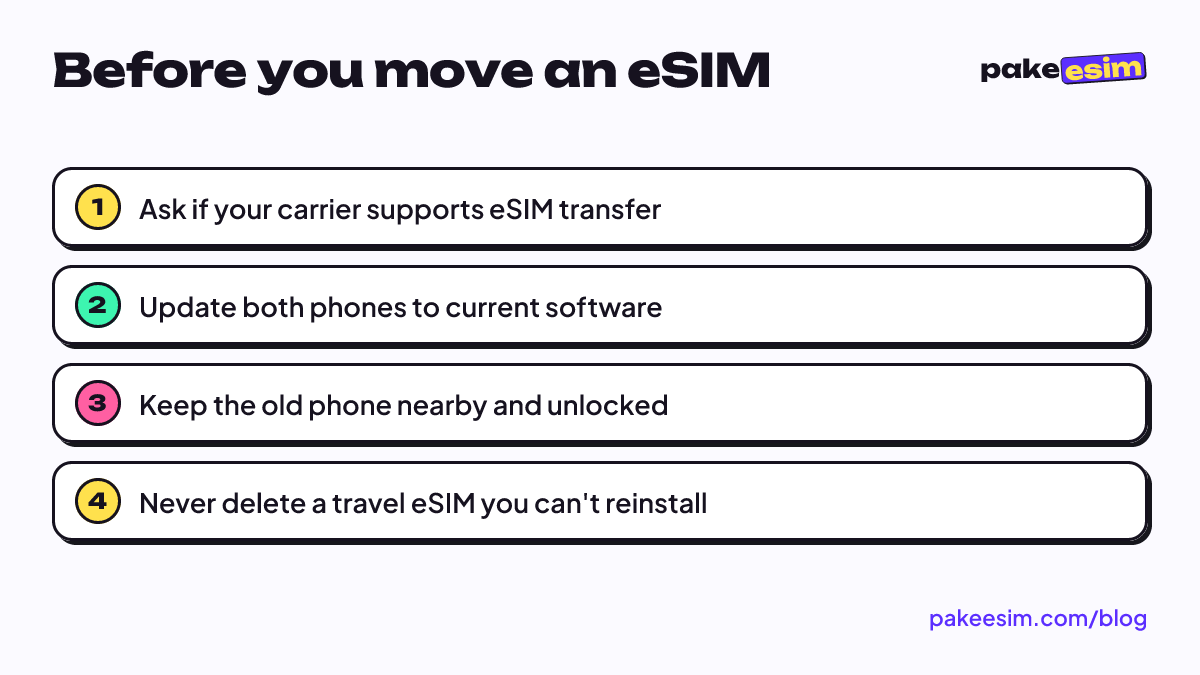
Before you try any transfer, run through this checklist:
- Ask whether your carrier supports eSIM transfer for your plan type.
- Update both phones. iPhone Quick Transfer needs iOS 18.4 or later on both.
- Keep the old phone charged, unlocked, and next to the new one.
- Don't delete the eSIM from the old phone first. A deleted profile often can't be downloaded again.
Can an eSIM be transferred to another iPhone?
An eSIM can be transferred to another iPhone with eSIM Quick Transfer, as long as the carrier supports it. Apple lists two conditions: you're signed in to both iPhones with the same Apple Account, and both run iOS 18.4 or later. You can do it during setup of the new iPhone or later from Settings.
Apple's guide to setting up and transferring eSIM on iPhone says you can move the line from your previous iPhone "without contacting" your carrier when Quick Transfer is supported. When it isn't, the carrier has to send a new QR code or activate the line through its app.
Moving between Android and iPhone
Cross-platform moves used to mean calling the carrier every time. That's changing slowly. Apple's support page now says:
"With iOS 26 or later, some carriers and select smartphone manufacturers support transferring your eSIM from Android to iPhone, and vice versa." (Apple Support)
Note the words "some" and "select". If your carrier or phone brand isn't on board, you'll still need the carrier to issue a fresh eSIM.
How does eSIM transfer work on Android?
eSIM transfer on Android depends on the phone brand and the carrier. Samsung Galaxy phones call it eSIM Instant Transfer, and Samsung's support page on Galaxy eSIM and supported carriers lists which carriers allow it, region by region. The new phone must be unlocked for the transfer to work.
On a Galaxy, the transfer goes like this:
- On the new phone, open Settings, then Connections, SIM manager, Add eSIM, and tap Transfer SIM from Galaxy/Android phone.
- On the old phone, tap Transfer on the pop-up.
- Enter the 6-digit verification code shown on the new phone, pick the number, and confirm.
Samsung also offers Transfer SIM from iPhone on the same menu, but only with a shorter list of carriers, and both phones need up-to-date software plus Wi-Fi and Bluetooth turned on. Google Pixel has a similar Transfer SIM option in its setup flow. With every brand, if the carrier isn't on the supported list, you're back to asking the carrier for a new eSIM. If you're not sure your new phone even supports eSIM, check it on our phone compatibility page first, or browse the eSIM Android phones list by brand.
Can a travel eSIM be transferred from one phone to another?
A travel eSIM usually cannot be transferred from one phone to another. Most prepaid travel eSIMs come as a QR code that can be scanned only once, so the profile stays on the first phone that installs it. Delete it, and you generally can't reinstall it from the same code.
That's the rule for Pakeesim plans too. The store's FAQ answers "Can I move one eSIM to another phone?" with "Usually not," because the QR code works once. Carrier transfer tools like Quick Transfer are built for regular phone lines, and a travel data eSIM isn't one of those.
Here's how the main eSIM types compare:
| eSIM type | Can it move to another phone? | How |
|---|---|---|
| Main line from a big carrier (postpaid or prepaid) | Usually yes | Quick Transfer, Android transfer, or a new QR from the carrier |
| Local prepaid eSIM in your home country | Sometimes | Depends on the carrier, often via its app or store |
| Prepaid travel data eSIM | Usually no | QR code installs once; buy a new plan for the new phone |
| Android to iPhone (or reverse) | Only with some carriers | iOS 26 or later plus carrier and brand support |
The same logic applies to local carrier eSIMs you see people asking about, like DITO in the Philippines or Jio in India. Whether those move to a new phone, and whether there's a fee, is set by each carrier. Their own support channels are the only reliable answer.
Upgrading your phone right before a trip
Upgrade order matters here. If you're getting a new phone in November and flying in December, set up the new phone first and install the travel eSIM on it afterward. Installing the travel eSIM on the old phone and then switching is the expensive mistake, since you'd likely have to buy a second plan.
The good news is that installing early costs nothing. Validity on Pakeesim plans starts when the eSIM first connects to a network at your destination, not when you install it. So you can scan the QR code on the new phone at home on Wi-Fi, then leave it switched off until you land. The step-by-step install guide covers iPhone and Android.
Planning a factory reset on the phone you'll travel with? Read whether a factory reset removes an eSIM on iPhone before you wipe anything.
Can one eSIM be used on multiple devices?
One eSIM profile can't be used on multiple devices at the same time. Each profile is tied to a single phone, and transferring it switches it off on the old device. If you need data on two phones during a trip, you need two eSIMs, or one phone sharing data through Personal Hotspot.
Hotspot is usually the cheaper route for a couple sharing one plan. On most Pakeesim plans tethering is allowed and uses the same data allowance, and any plan that restricts it says so on the plan page. Just remember the host phone drains its battery faster, so keep a power bank in the bag. If you want to understand how travel eSIMs handle data in the first place, our explainer on what a travel eSIM is and how it works covers the basics.
Before you fly
The short version: a regular carrier eSIM can usually follow you to a new phone, while a travel eSIM stays with the phone that scanned it. Pick the phone you'll actually travel with, check that it supports eSIM and isn't carrier-locked, then install the plan there.
If you're shopping from Indonesia, you can browse travel eSIM plans for every destination. One honest note for international readers: checkout runs on online payment in rupiah (bank transfer, QRIS, e-wallets, or card), as explained on the payment page. Plans are data only, with no phone number, and can't be topped up.