Destinations
Africa eSIM Not Working on iPhone in Indonesia? Why, and How to Fix It
The Africa eSIM only covers 12 countries in Africa, so in Indonesia it shows "No Service" by design. That's normal, and the validity hasn't started yet. If it's still dead after you land, check the data line, Data Roaming, and the validity period.

Contents
- Why is my Africa eSIM not working in Indonesia?
- No Service before your flight: problem or not?
- Does my Telkomsel number keep working with the Africa eSIM installed?
- Africa eSIM not working on iPhone after landing, with data left
- Your data line hasn t switched
- You re in a country the plan doesn t cover
- The validity period has run out
- You actually burned through the data
- Why doesn t the Africa eSIM show up on my phone at all?
- Africa eSIM, Telkomsel roaming, or Indonesia eSIM: which one works where?
- Before you fly to Africa
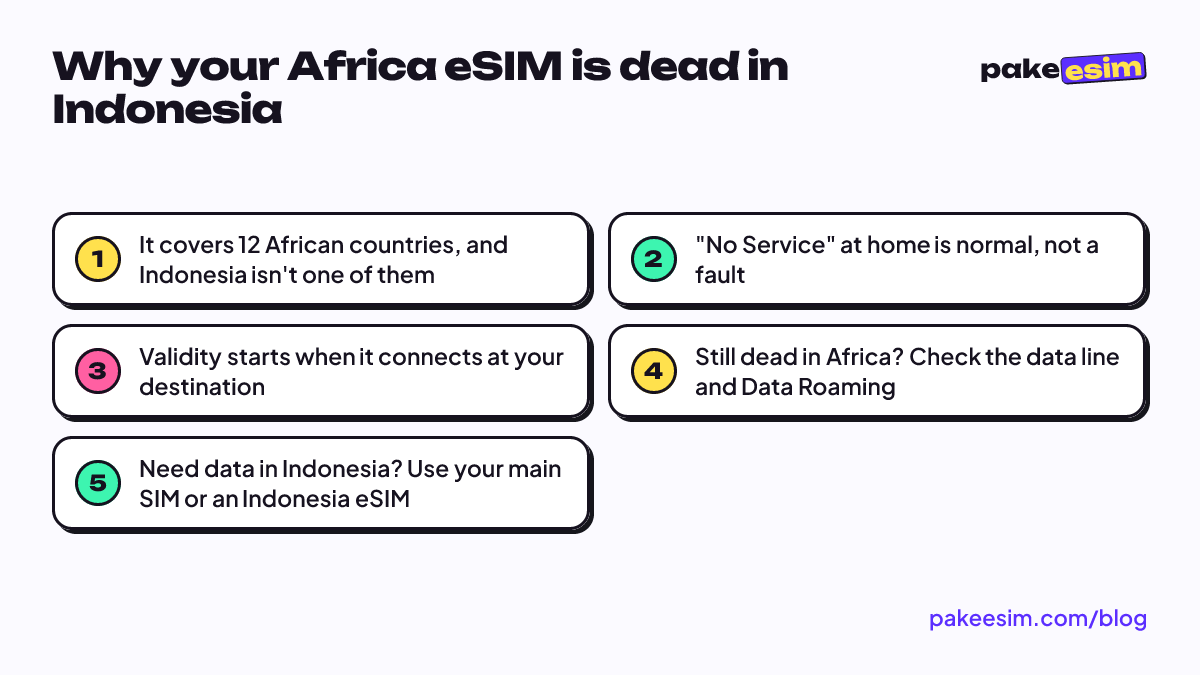
Africa eSIM not working on iPhone while you're still in Indonesia? Nothing is broken. The plan only covers 12 African countries, and Indonesia isn't one of them, so "No Service" on that line is exactly what should happen in Jakarta or Surabaya. You don't lose any days either, because the validity period only starts when the eSIM first connects to a network at your destination. The case worth fixing is when the eSIM stays dead after you land in Nairobi or Cairo.
Key takeaways (TL;DR)
- Africa eSIM plans cover only 12 African countries, so seeing No Service while still in Indonesia is completely normal.
- The validity period only starts once the eSIM first connects to a network at your destination, so no days are lost waiting in Indonesia.
- The Africa eSIM only handles data, so your Telkomsel, XL, or Indosat number still works for calls, texts, and bank OTPs.
- If the eSIM stays dead after landing in Nairobi or Cairo, check that the data line switched to the Africa eSIM and Data Roaming is on.
- A plan with data left can still stop working once its validity period ends, since leftover data can't be extended or topped up.
Why is my Africa eSIM not working in Indonesia?
An eSIM is a digital SIM card built into your phone. The profile you install from the QR code holds your subscriber identity plus a list of networks it's allowed to use. For the Africa eSIM, that list contains operators in 12 countries: Egypt, Ghana, Kenya, Madagascar, Mauritius, Morocco, Nigeria, Senegal, South Africa, Tanzania, Tunisia, and Uganda.
Outside those 12, your phone can still "see" Telkomsel, XL, or Indosat signal, but those networks will reject the Africa profile. This plan has no roaming agreement in Indonesia, so the result is the same as inserting a SIM that was never registered. It isn't a government block. It has nothing to do with IMEI. It's purely about where the plan works.
One more thing worth knowing: as of October 2026, the Global and Asia plans in our catalog don't cover Indonesia either. For data at home, use your own main SIM, or an Indonesia roaming eSIM if your local SIM gets no signal (usually on phones bought abroad whose IMEI isn't registered).
"No Service" before your flight: problem or not?
Not a problem. This is the status you should see the whole time you're in Indonesia. Plenty of people search for this right after scanning the QR code at home and seeing an empty line, then assume they bought a dud.
Here's the right order:
- Install the eSIM in Indonesia over WiFi, a few days before you fly. Step-by-step instructions for iPhone and Android are in our eSIM installation guide.
- Leave the Africa line installed, but don't make it your data line yet. Keep using your main SIM as usual.
- Once the plane lands, pick the Africa eSIM as your cellular data line and turn on Data Roaming for that line.
- Turn off Data Roaming on your main SIM if you don't want your Indonesian carrier's roaming charges.
On iOS 26 the iPhone handles part of this for you. According to Apple's support page on travel eSIMs, your iPhone may prompt you to turn on your travel eSIM when you arrive, and it automatically turns the travel eSIM off and your home SIM back on when you return. So if the Africa line "disappears" from cellular data after you get home, that's built-in behavior, not an error.
Does my Telkomsel number keep working with the Africa eSIM installed?
Yes. The Africa eSIM only handles cellular data, while your Telkomsel, XL, or Indosat number on the main SIM stays active for WhatsApp, bank OTP texts, and calls. What won't happen is the reverse. The Africa eSIM will never piggyback on Telkomsel inside Indonesia, however strong the signal is in your bedroom.
Also easy to miss: this is a data-only eSIM. No local Kenyan or Egyptian number, no SMS, no regular calls. WhatsApp calls and other app calls still work, because they run on data.
Africa eSIM not working on iPhone after landing, with data left
This is the one that actually needs fixing. Having lots of data left doesn't mean the plan is still active. These are the causes we run into most, roughly from easiest to check to hardest.
Your data line hasn't switched
On iPhone, go to Settings > Cellular > Cellular Data and choose the Africa line. Then open that line and make sure Data Roaming is on. On a Samsung Galaxy, eSIM settings live under Settings > Connections > SIM manager, as shown on Samsung's Galaxy eSIM support page. Next, switch on airplane mode for 10 seconds and switch it off again. Still nothing? Turn off automatic network selection and pick an operator manually from the list.
You're in a country the plan doesn't cover
Safari routes cross borders a lot. Tanzania and Kenya are on the list, but Rwanda, Zambia, Zimbabwe, Namibia, Botswana, and Ethiopia, for example, are not. The moment you cross into a country outside those 12, the eSIM goes quiet again, just like it did in Indonesia.
The validity period has run out
A 1 GB / 7-day plan with only 300 MB used still dies on day eight. Leftover data can't be extended or topped up, because each plan is its own eSIM profile. The fix is to buy a new plan and install the new QR code. Honestly, if your trip is 8 to 10 days, we'd go straight for the 15-day plan instead of cutting it close with 7 days.
You actually burned through the data
A family video call from the lodge, automatic photo backup to Google Photos or iCloud, and a hotspot for a friend's phone can eat 1 GB in a single day. Check usage per line under Cellular (iPhone) or Data usage (Android) to be sure.
| Symptom | Most likely cause | What to do |
|---|---|---|
| "No Service" while still in Indonesia | Indonesia is outside the Africa eSIM coverage | Leave it, activate after landing |
| Signal in Africa but no data | Data Roaming off, or main SIM still the data line | Switch data line, turn on Data Roaming |
| Stops working after crossing a border | New country isn't one of the 12 | Check the country list, sort out another plan |
| Dead with plenty of data left | Validity period has ended | Buy a new plan, install the new QR |
| Africa line gone after returning home | iOS 26 turns travel eSIMs off automatically | Nothing to do |
Why doesn't the Africa eSIM show up on my phone at all?
If the issue isn't signal but the eSIM profile itself missing from the menu, the cause is usually the phone, not the plan.
- The phone is carrier-locked. Used units from the US or Japan are sometimes still locked to their original carrier. On iPhone, go to Settings > General > About and look at Carrier Lock. Per Apple, "No SIM restrictions" means the phone is unlocked, and only the original carrier can unlock it.
- The phone doesn't support eSIM. Dial *#06# and see whether an EID number appears. The full list is on our eSIM compatibility checker.
- The QR code was already scanned. An eSIM QR code can usually be used once. If the profile was deleted by a factory reset or by accident, the same QR typically can't be installed again.
- The scan failed halfway. This often happens when the QR is scanned without internet. Always install on stable WiFi.
Africa eSIM, Telkomsel roaming, or Indonesia eSIM: which one works where?
It depends on where you're standing. The three don't compete, since each one has its own territory.
| Location | Africa eSIM | Main SIM (Telkomsel/XL/Indosat) | Indonesia eSIM |
|---|---|---|---|
| At home, before departure | No signal, normal | Use as usual | For phones whose local SIM gets no signal |
| In the 12 covered countries | Main data line | WhatsApp and OTP, data roaming off | Doesn't work |
| In other African countries | No signal | Carrier roaming at your carrier's rates | Doesn't work |
| After you return | Not used anymore | Back to being the data line | Same as before the trip |
If your route stays inside those 12 countries, current Africa eSIM prices are in the table below. It pulls straight from the catalog, so it's always up to date.
| Plan | Data | Validity | Price | Per day |
|---|---|---|---|---|
| eSIM Africa 1 GB / 7 Days | 1 GB | 7 days | Rp17.100 | ±Rp2.443 |
| eSIM Africa 2 GB / 15 Days | 2 GB | 15 days | Rp28.500 | ±Rp1.900 |
| eSIM Africa 3 GB / 30 Days | 3 GB | 30 days | Rp39.900 | ±Rp1.330 |
| eSIM Africa 4 GB / 30 Days | 4 GB | 30 days | Rp62.700 | ±Rp2.090 |
As a rough guide, 1 GB covers about a day of maps, chat, and moderate social media. For a 10-day safari spent mostly on the road with the occasional photo post, the 2 GB / 15-day plan makes sense as long as automatic photo backup is off. More detailed numbers by country and trip type are in our Africa eSIM plans for travel guide.
For a month-long stay, say a short course in Cairo or fieldwork in Nairobi, 3 GB / 30 days is the safer pick. Flying over the year-end holidays? There's a separate breakdown in how long an Africa eSIM lasts over New Year.
Before you fly to Africa
Short version: an Africa eSIM sitting silent in Indonesia is waiting, not broken. Check three things before you fly. Your phone supports eSIM and isn't carrier-locked, the profile is installed over WiFi, and every country on your route is on the list of 12. After that, it's just switching the data line and turning on Data Roaming once the wheels touch the runway.
A heads-up for international readers: Pakeesim prices are in Indonesian rupiah, and payment is online through Midtrans (bank virtual accounts, QRIS, GoPay, ShopeePay, convenience stores, or credit card). The steps are on the how to pay page. If you're unsure about your phone, check it first and buy second. Five minutes of checking beats a QR code that won't install.