Visiting Indonesia
Bali eSIM Guide for Tourists: Cost, Data Needs, and Setup
A Bali eSIM is an Indonesia data plan you install at home and switch on after landing. Pick 1 GB for a Wi-Fi-heavy week or the 15-day plan for 10 days, and check that your phone is eSIM-capable and carrier-unlocked first.

Contents
- What is a Bali eSIM, and does Bali have eSIM coverage?
- How much does a Bali eSIM cost?
- How much data do you need for 7 or 10 days in Bali?
- Bali eSIM for 7 days
- Bali eSIM for 10 days
- Roaming eSIM, local SIM, or home roaming: which one fits?
- Phone check: IMEI rules, carrier locks, and supported models
- Does your phone support eSIM?
- Is your phone carrier-locked?
- What the IMEI rules mean for tourists
- How to buy and install your Bali eSIM before you fly
- Why is my Bali eSIM not working?
- Visiting Bali and Japan on one trip?
- Before you fly
A Bali eSIM is an Indonesia data plan you download onto your phone before the trip, so it already works when you walk out of arrivals at Ngurah Rai. No SIM counter, no paperclip for the tray. Your home SIM stays where it is, which keeps your number alive for calls and bank OTP texts. There's no separate Bali network, so any Indonesia eSIM covers the whole island, from Seminyak to the rice terraces above Ubud. The catch is that your phone has to be eSIM-capable and carrier-unlocked, and the plan gives you data only.
What is a Bali eSIM, and does Bali have eSIM coverage?
An eSIM is a SIM profile stored on a chip that's already inside your phone. You scan a QR code, the phone downloads the profile, and that's the whole "installation." People search for a Bali eSIM, but what they end up buying is an Indonesia plan. It works the same in Denpasar, in Canggu, and on the fast boat to Lombok.
So yes, Bali has eSIM coverage. The real choice is between two kinds of eSIM.
- Roaming eSIM. It connects to Indonesian networks as an international roamer. You install it at home and it comes alive when you land. This is the kind we sell.
- Local operator eSIM. An Indonesian carrier issues it, usually after you arrive. You get a local number, but the local IMEI rules apply (more on that below).
Signal is easy to find in the towns and the busy beach strips. It gets patchy in the hills, on quiet stretches of coast, and on the smaller islands. Download offline maps before a day trip to Nusa Penida.
How much does a Bali eSIM cost?
Prices come straight from the store catalog and can change, so this table is live rather than typed in by hand:
| Plan | Data | Validity | Price | Per day |
|---|---|---|---|---|
| eSIM Indonesia 1 GB / 7 Days | 1 GB | 7 days | Rp30.000 | ±Rp4.286 |
| eSIM Indonesia 2 GB / 15 Days | 2 GB | 15 days | Rp50.000 | ±Rp3.333 |
| eSIM Indonesia 3 GB / 30 Days | 3 GB | 30 days | Rp70.000 | ±Rp2.333 |
| eSIM Indonesia 4 GB / 30 Days | 4 GB | 30 days | Rp110.000 | ±Rp3.667 |
There are four plans. You can get 1 GB for 7 days, 2 GB for 15 days, 3 GB for 30 days, or 4 GB for 30 days. Nothing gets shipped, so there's no delivery or admin fee. At checkout a three-digit unique code is added to the total, and that odd number at the end is how your transfer gets matched to your order.
Now the part international visitors need to hear early. Payment is only by Indonesian bank transfer or QRIS, in rupiah. Customer support speaks Indonesian and works 08.00–22.00 WIB, which is 09.00–23.00 in Bali. Without an Indonesian bank account or an app that can pay a QRIS code, you can't check out, and a SIM from a counter after landing will be easier. Expats, Indonesians living abroad, and relatives paying for a visiting family member are fine. For them the bank transfer and QRIS payment steps take a few minutes.
You'll also find Bali eSIM ads online promising endless data. Our plans come with a fixed amount of full-speed data. We'd rather you plan around a real number than find out about a speed cap on day four.
How much data do you need for 7 or 10 days in Bali?
Think about where you'll actually be using data. Most villas, guesthouses, and cafés in Bali have Wi-Fi. A lot of visitors only need mobile data out on the road, for Google Maps, ride-hailing apps, WhatsApp, and the odd story upload from the beach.
The store's rule of thumb is that 1 GB covers about one full day of maps, chat, and moderate social media with no Wi-Fi at all. If you video call or stream a lot, double that.
| Trip length | Wi-Fi at your stay, data mostly for maps and chat | Heavy mobile data all day |
|---|---|---|
| 3–7 days | 1 GB / 7 Days | 4 GB / 30 Days, plus a second plan if needed |
| 10 days | 2 GB / 15 Days | Two plans, installed one after the other |
| 14–15 days | 2 GB / 15 Days | Two or more plans |
| 3–4 weeks | 3 GB or 4 GB / 30 Days | Several plans |
Bali eSIM for 7 days
If you're on Wi-Fi most of the time, the 1 GB plan gets you through a week. It covers the ride-hailing app at the airport, directions to the villa, and a week of checking which warung is still open. It's also the cheapest plan.
Bali eSIM for 10 days
Ten days rules out the 7-day plan. It expires after day seven even if you've barely touched the data. The 2 GB / 15 Days plan suits a 10- to 15-day trip where you're back on Wi-Fi in the evenings.
Plans can't be topped up. Each one is its own eSIM profile, so if you run out you buy another plan and scan the new QR code. Using your phone as a laptop hotspot eats data quickly, so save big downloads for the villa Wi-Fi.
Roaming eSIM, local SIM, or home roaming: which one fits?
There are three realistic ways to get online in Bali. Each one suits a different kind of traveler.
| Roaming eSIM (installed before you fly) | Local SIM or eSIM bought in Bali | Your home carrier's roaming | |
|---|---|---|---|
| When it works | As soon as you land | After you buy and register it | As soon as you land |
| IMEI registration | Not needed (roaming) | Needed for phones bought abroad | Not needed (roaming) |
| Local phone number | No, data only | Yes | Your home number |
| Payment | Indonesian bank transfer or QRIS | Cash or card in a store | Billed by your carrier |
| Top-up | Buy a new plan | Usually possible | Depends on your carrier |
| Main catch | Data only, rupiah payment | Queue and paperwork on arrival | Rates vary a lot, so check your carrier's prices first |
Need a number that Indonesian businesses can call, like a surf school or a driver? Get a local SIM. If you just want Maps and WhatsApp working when you step off the plane, the roaming eSIM is less work.
Phone check: IMEI rules, carrier locks, and supported models
Most failed eSIM purchases come down to one of these three checks.
Does your phone support eSIM?
Most iPhones from the XS onward support eSIM, and so do many recent mid- to high-end Android phones. To check, open Settings, go to Cellular (or SIM), and look for "Add eSIM" or "Download SIM." Dialing *#06# works too, because if an EID number shows up, the phone has an eSIM chip. Our phone compatibility checker lists more models. One exception to watch for is certain dual nano-SIM iPhones sold with the model suffixes CH/A and ZA/A, which have no eSIM support.
Is your phone carrier-locked?
A phone locked to one carrier won't accept an eSIM from anyone else, even if the hardware supports it. On an iPhone, go to Settings, then General, then About. Next to Carrier Lock you want to see "No SIM restrictions," as Apple's carrier-lock article describes. If it says anything else, ask your carrier to unlock the phone. That's an official process your carrier handles, and it's worth starting a week or two before you fly.
What the IMEI rules mean for tourists
Indonesia stops local SIM cards from working in phones whose IMEI (the device's serial number) isn't registered. A phone bought abroad has to be registered with Bea Cukai, Indonesia's customs agency before a local SIM will connect.
Roaming works differently. Ministerial Regulation 1/2020 from Komdigi, Indonesia's communications ministry exempts inbound roamers on international roaming from IMEI verification (Article 3, paragraph 5). The same regulation lets foreign tourists use a local number on their own phone for up to 90 days. Our Indonesia eSIM is a roaming profile, which is why it's sold for phones that aren't registered in Indonesia. If you'd rather have a local SIM, register through customs. For iPhone owners weighing these options, our guide to the best eSIM for an iPhone in Indonesia goes deeper.
How to buy and install your Bali eSIM before you fly
Once your payment is confirmed, the rest takes about ten minutes.
- Pick a plan from the Indonesia eSIM plans, using the data table above as a guide.
- Pay the exact total, three-digit code included, by bank transfer or QRIS, then upload your payment proof. Unpaid orders expire after 3 hours.
- Get the QR code. A staff member checks each payment proof. The QR code then shows up on your order page, usually within minutes, and you get an email with the link.
- Install it at home on Wi-Fi. Scan the code from Settings, then Cellular, then Add eSIM. Apple's eSIM setup article shows the iPhone screens, and our eSIM install guide covers Android as well.
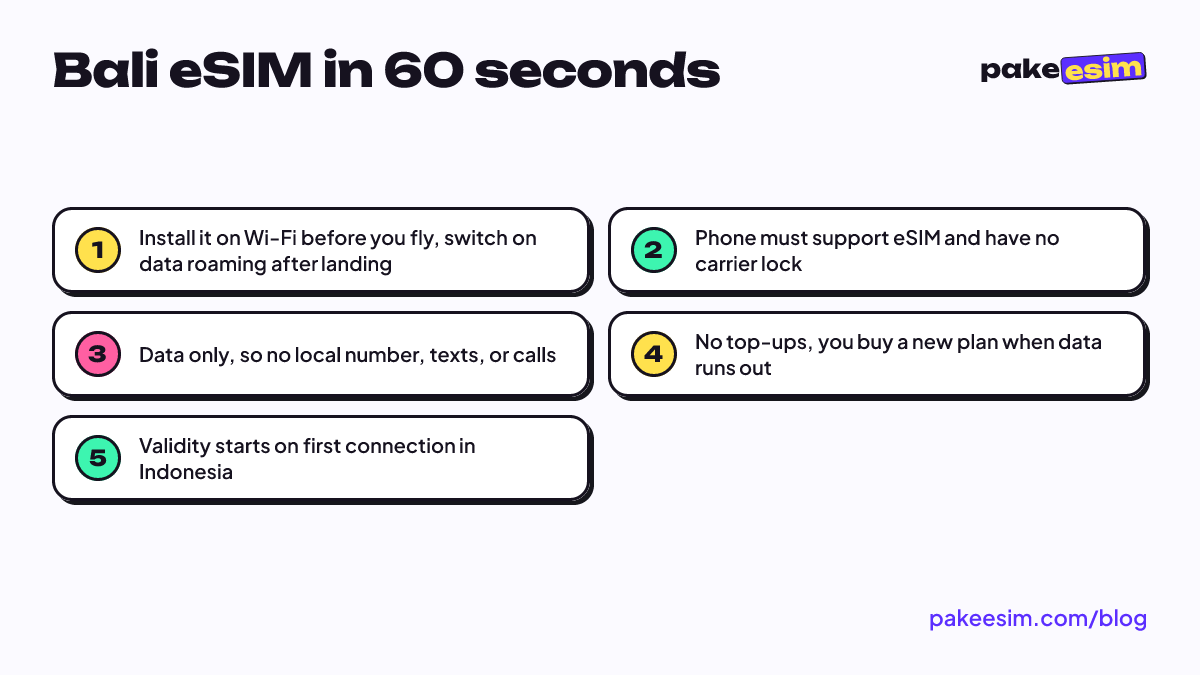
- Leave data roaming off until you land. Validity starts when the eSIM first connects to a network in Indonesia, not when you buy it. Buying a few days early costs you nothing.
- After landing, set the eSIM as your mobile data line and switch on Data Roaming for it. You can leave your home SIM on for calls and texts. Just turn off its data roaming so your carrier doesn't bill you.
A QR code usually scans only once, so install it on the phone you're actually bringing. If you want every iPhone screen in order, read how to install an eSIM on iPhone.
Why is my Bali eSIM not working?
You land, the plane is taxiing, and the eSIM shows no signal. Usually it's just a toggle in the wrong position. Go through these in order.
- Check the data line. The eSIM, not your home SIM, should be selected for mobile data.
- Turn on Data Roaming for the eSIM line. A roaming eSIM stays silent with roaming off. It's the most common mistake.
- Toggle airplane mode on and off once to force a fresh network search.
- Pick a network manually in network settings if automatic selection doesn't connect.
- Recheck the carrier lock. A locked phone won't run another provider's eSIM until your carrier unlocks it.
Still stuck? Contact support with your order number. Staff handle every order, so they can see exactly where yours stands.
Visiting Bali and Japan on one trip?
Lots of travelers pair Bali with Japan, Singapore, or another stop in Asia. Our regional Asia plan doesn't include Indonesia. The easy setup is two plans, one Indonesia plan for Bali and one for the other country, such as the Japan 1 GB / 7 Days plan.
Your phone can hold both. According to Apple, iPhone 13 models and later support Dual SIM with two eSIMs. Install both at home and switch the data line when you change countries, turning on data roaming only for the eSIM of the country you're in. Each plan's validity starts on its first connection in its own country, so the Japan plan won't lose days while you're still in Bali.
Before you fly
Check two things a week out. Your phone needs to show an EID, and Carrier Lock should read "No SIM restrictions." Then pick by trip length. The 1 GB plan suits a short week with plenty of Wi-Fi, the 15-day plan covers ten days, and the 30-day plans are for longer stays. Install the eSIM on home Wi-Fi and switch on roaming after touchdown. It's a roaming profile, so you won't have to register your IMEI at the airport.
Keep the limits in mind too. It's data only, it can't be topped up, and you pay in rupiah by Indonesian bank transfer or QRIS. If that works for you, Pakeesim's Indonesia plans will have you online before your surfboard bag shows up on the belt. Selamat jalan, and save some battery for the Uluwatu sunset.