Destinations
Jordan eSIM Tourist Guide 2026: Price, How Many GB for Petra, Fixes
The easiest Jordan eSIM for tourists is the Middle East plan, which also covers Saudi Arabia and Egypt. For 5–8 days around Petra and Wadi Rum, 2 GB / 15 days is usually enough if your phone supports eSIM and is not carrier-locked.

Contents
- What is a Jordan eSIM, and which plan do tourists use?
- How much does a Jordan eSIM cost in 2026?
- How much data does a tourist need for 5 to 14 days in Jordan?
- Can a Jordan eSIM be used in Indonesia or the USA?
- Is a Jordan eSIM good for Petra and Wadi Rum?
- eSIM, roaming, or a local SIM in Amman: which one?
- Why is my Jordan eSIM not working or not showing up?
- The eSIM does not work after landing
- The Add eSIM menu is missing
- The eSIM disappeared from the list
- Before you fly to Amman
For most Indonesian travelers, the most practical Jordan eSIM for a tourist trip is the regional Middle East eSIM, because one profile covers Jordan plus Saudi Arabia, Egypt, Turkey, and five more countries. You install it over Wi-Fi at home, and the data starts working once you land in Amman. For a 5 to 8 day loop through Petra and Wadi Rum, the 2 GB / 15 day plan is usually enough if you save video calls for hotel Wi-Fi. Only two things need checking first: your phone supports eSIM, and it is not carrier-locked.
Key takeaways (TL;DR)
- A Jordan eSIM for tourists from Indonesia comes as a regional Middle East plan that covers 9 countries, including Jordan, Saudi Arabia, and Egypt.
- The Jordan eSIM is data only, with no Jordanian phone number, SMS, or regular calls, so your Indonesian number stays active for WhatsApp.
- The Middle East eSIM validity starts when it first connects to a network in one of the covered countries, not when you buy it.
- The Jordan eSIM gets no signal in Indonesia or the USA and does not cover Palestine, so a trip to Al-Aqsa needs another connection.
- eSIM plans cannot be topped up, so if the data runs out mid-trip you buy and install a new QR code.
What is a Jordan eSIM, and which plan do tourists use?
An eSIM is a digital SIM built into your phone that you install by scanning a QR code, without opening the SIM tray. The Jordan eSIM in our catalog is not a single-country plan. Jordan is part of the Middle East eSIM covering 9 countries, together with Saudi Arabia, Bahrain, Kuwait, Egypt, Oman, Qatar, Turkey, and the United Arab Emirates, all on one profile.
For travelers from Indonesia, the regional setup actually fits. Few people fly to Amman for Jordan alone. The common routes are umrah plus Jordan, an Egypt and Jordan tour, or a layover in Doha or Dubai before continuing to Amman. One eSIM means no profile swapping at the border, and your Indonesian number keeps running on the main SIM line. Apple's official guide to setting up eSIM on iPhone walks through adding a travel plan next to your existing one.
A quick note for non-Indonesian readers: Pakeesim is an Indonesian store. Prices are in rupiah, and payment is online through QRIS, e-wallets, virtual accounts, or credit cards, so you don't need an Indonesian bank account to pay, just expect the total in rupiah.
How much does a Jordan eSIM cost in 2026?
A Jordan eSIM costs the same as the Middle East plan it belongs to, from 1 GB for 7 days up to 4 GB for 30 days, paid in rupiah online with no admin fee. The table below reads prices straight from the catalog, so the numbers are always the ones in effect when you open this page.
| Plan | Data | Validity | Price | Per day |
|---|---|---|---|---|
| eSIM Middle East 1 GB / 7 Days | 1 GB | 7 days | Rp17.100 | ±Rp2.443 |
| eSIM Middle East 2 GB / 15 Days | 2 GB | 15 days | Rp28.500 | ±Rp1.900 |
| eSIM Middle East 3 GB / 30 Days | 3 GB | 30 days | Rp39.900 | ±Rp1.330 |
| eSIM Middle East 4 GB / 30 Days | 4 GB | 30 days | Rp62.700 | ±Rp2.090 |
Plenty of people still search for 2024 prices, but a price from two years ago tells you nothing about a late 2026 trip. The more useful yardsticks are cost per day and whether the validity covers your whole itinerary. Payment steps are explained on the payment page.
How much data does a tourist need for 5 to 14 days in Jordan?
Our store's rule of thumb is that 1 GB covers roughly one day of maps, chat, and moderate social media. In Jordan, heavy use tends to pile up on road days, such as the long drive from Amman to Petra along the Desert Highway, when everyone has Maps open and is uploading photos of the Siq.
Rough numbers for the routes Indonesian tourists take most often:
| Route | Length | Sensible plan | Note |
|---|---|---|---|
| Jordan only (Amman, Petra, Wadi Rum, Dead Sea) | 4–7 days | 2 GB / 15 days | 1 GB / 7 days is too tight if you use Maps a lot |
| Egypt plus Jordan | 8–12 days | 3 GB / 30 days | One profile for both countries |
| Umrah plus Jordan | 12–16 days | 4 GB / 30 days | Validity starts in Saudi Arabia, not in Amman |
| Doha or Dubai layover, then Amman | 6–9 days | 2 GB / 15 days | Data gets used during the layover too |
In our view, the 1 GB plan only works if you truly live on hotel Wi-Fi and just need WhatsApp. Desert camps in Wadi Rum often have limited Wi-Fi or none at all, so keep some data for that night.
Umrah plus Jordan has one trap. The regional plan's validity starts the moment the eSIM first connects in any of the 9 countries. If your group lands in Jeddah first, the 30-day clock is already running in Saudi Arabia, so pick a plan whose validity covers the whole itinerary.
Want to compare the regional option against single-country plans in more depth? See the best eSIM for Middle East travel, regional or single-country.
Can a Jordan eSIM be used in Indonesia or the USA?
No. The Jordan eSIM only connects to partner networks in the countries covered by the Middle East plan, and neither Indonesia nor the USA is on that list. In Indonesia you can install it over Wi-Fi, but it only picks up a signal after you land in Amman or another covered country.
That is the right order anyway. Install it at home a few days before departure, leave the line switched off, and turn on Data Roaming once the plane lands. While you are still in Indonesia, keep using your Telkomsel, XL, or Indosat SIM as usual.
One more limit people miss: the plan does not cover Palestine. If your group crosses from Jordan to Al-Aqsa, the eSIM will have no signal there. Arrange carrier roaming or ask your travel agent about Wi-Fi for those days.
Is a Jordan eSIM good for Petra and Wadi Rum?
A Jordan eSIM works well for tourist needs like Maps, WhatsApp, checking schedules, and uploading photos, as long as your phone supports eSIM and is not carrier-locked. The main tourist routes generally have signal, but expect it to fade in the Wadi Rum desert and the deeper valleys of Petra.
Jordan has three main mobile operators: Zain, Orange, and Umniah. A travel eSIM works as roaming on local partner networks, so its quality follows the local network rather than being better or worse because you are a tourist. Some practical tips:
- Download offline maps of Amman, Petra, and Wadi Rum before you go.
- Save e-tickets and hotel vouchers as PDFs, not just in your inbox.
- In the Siq and up at the Monastery, treat signal as a bonus, not a promise.
- From December to February, nights in Wadi Rum and Petra get very cold. Phone batteries drain fast in the cold, so pack a power bank.
If you plan to use the Jordan Pass, its official site says this about the visa fee:
"The cost of your tourist entry visa is included in the pass." (Jordan Pass official site)
The pass also bundles entry to Petra and Wadi Rum. It is bought online, so have data ready from the airport.
eSIM, roaming, or a local SIM in Amman: which one?
The regional eSIM wins for multi-country routes and for being online the moment you step off the plane. A Jordanian local SIM can be cheaper for a long stay, but it means queuing at Queen Alia Airport and it stops working in Saudi Arabia or Egypt.
Roaming from an Indonesian carrier is the simplest option, though usually the most expensive per GB.
| Option | Pros | Cons |
|---|---|---|
| Middle East eSIM | One profile for 9 countries, install at home, Indonesian number stays active | Data only, no local number, no top-ups, fixed data allowance |
| Jordanian local SIM | You can get a local phone number | Airport queue, only works in Jordan |
| Telkomsel, XL, Indosat roaming | Nothing to install | Price per GB is usually much higher |
Many people assume Indonesian carriers sell a special Jordan eSIM. What they actually offer is international roaming packages. Check the latest rates in your carrier's app before you compare.
Why is my Jordan eSIM not working or not showing up?
A Jordan eSIM most often fails because Data Roaming is off on the eSIM line, Cellular Data still points to the Indonesian SIM, or the phone turns out to be carrier-locked. You can check all three in about five minutes from Settings.
The eSIM does not work after landing
- Set the eSIM line as your Cellular Data line.
- Turn on Data Roaming for that eSIM line specifically.
- Switch airplane mode on and off once.
- If there is still no service, pick a Jordanian network manually from the network list.
Step-by-step screenshots are in the eSIM install guide for iPhone and Android.
The Add eSIM menu is missing
A missing eSIM menu usually means the phone does not support eSIM or is still carrier-locked. Dual nano-SIM iPhones with model codes CH/A and ZA/A do not support eSIM. Check the lock status using Apple's guide to unlocking an iPhone for another carrier, and match your model on the phone compatibility checker before you buy.
The eSIM disappeared from the list
An eSIM that vanished from the list was usually deleted, for example during a phone reset or when the profile was removed by hand. An eSIM QR code can generally be scanned only once, so do not delete the Jordan profile until the trip is over, and do not reset your phone mid-trip.
Before you fly to Amman
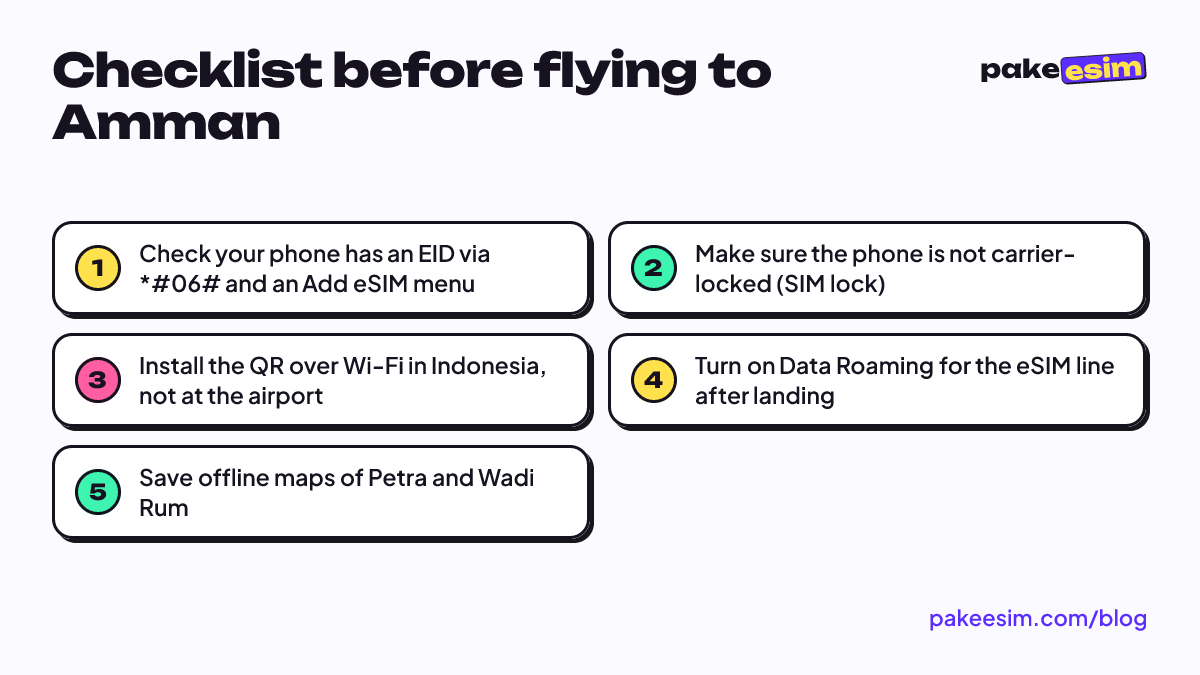
The order is simple. Check your phone, choose a plan that matches your trip length and route, install the QR over Wi-Fi at home, then turn on Data Roaming after landing. If your trip falls in the year-end holidays, order a few days early: our support runs 08.00 to 22.00 WIB (UTC+7), and unpaid orders expire after 3 hours. For how validity counts across the New Year, see Middle East eSIM validity for New Year trips. Enjoy Petra.