Destinations
Middle East eSIM Plans 2026: 9 Countries, How Many GB, and Setup
Middle East eSIM plans are data-only eSIMs for 9 countries (Saudi Arabia, UAE, Qatar, Turkey, Egypt, Jordan, Oman, Kuwait, Bahrain) on one QR code. Good for umrah plus and layovers, as long as your phone supports eSIM and is not carrier-locked.

Contents
- What is a Middle East eSIM for, and which countries does it cover?
- What a Middle East eSIM is, and how it differs from a SIM card
- Middle East eSIM, roaming, or a local SIM: which one is cheaper?
- How much data do you need on a Middle East eSIM?
- How much do Middle East eSIM plans cost?
- How to install a Middle East eSIM with a QR code
- 1. Check your phone first
- 2. Buy and pay
- 3. Scan the QR code (also called downloading the eSIM )
- 4. When you land in Jeddah, Dubai, or Istanbul
- Can a Middle East eSIM be used in Indonesia or the USA?
- Is a Middle East eSIM safe to use?
- Why is my Middle East eSIM not working, missing, or slow?
- The eSIM does not show up in settings
- The eSIM disappeared from the phone
- The eSIM is slow
- Umrah season and year-end holidays: when should you buy?
- Before you fly
Middle East eSIM plans give you prepaid mobile data in 9 countries on one profile: Saudi Arabia, the United Arab Emirates, Qatar, Turkey, Egypt, Jordan, Oman, Kuwait, and Bahrain. You scan one QR code at home and keep the same eSIM as you cross borders. That makes it a natural fit for umrah plus Dubai or Istanbul, a long layover in Doha, or a Gulf road trip. The plans are data only, with no local number, so WhatsApp keeps running on your Indonesian number. Two conditions matter most: your phone must support eSIM and must not be carrier-locked.
Key takeaways (TL;DR)
- The Middle East eSIM works in 9 countries: Saudi Arabia, the UAE, Qatar, Turkey, Egypt, Jordan, Oman, Kuwait, and Bahrain.
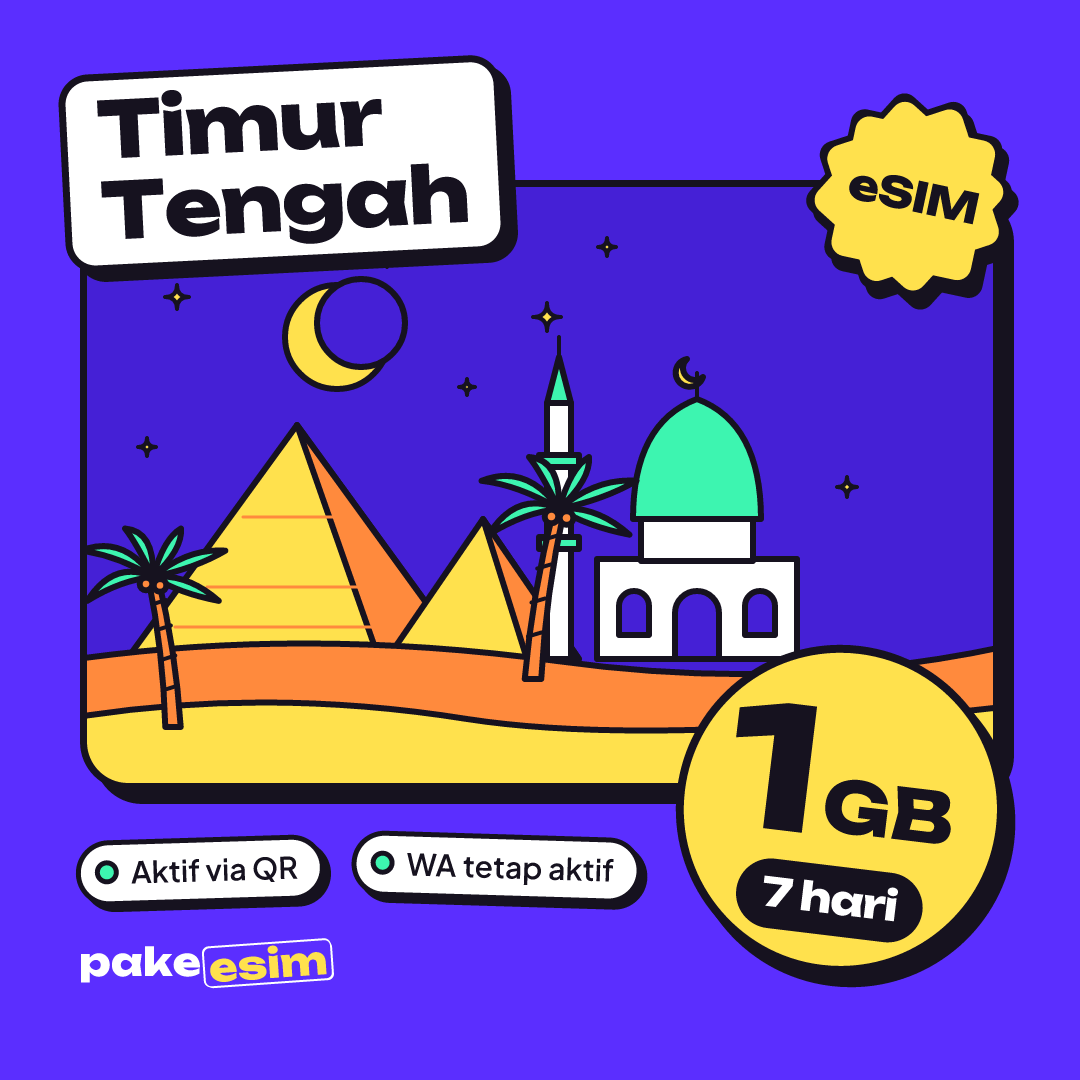
- Middle East eSIM plans come in 1 GB/7 days, 2 GB/15 days, 3 GB/30 days, and 4 GB/30 days, all data only with no phone number or SMS.
- The validity of a Middle East eSIM starts when it first connects to a network in a covered country, not when you buy it.
- A Middle East eSIM does not work in Indonesia or the United States because neither country is in its 9-country coverage.
- Dual nano-SIM iPhones sold as CH/A or ZA/A, and any carrier-locked phone, cannot install a Middle East eSIM.
What is a Middle East eSIM for, and which countries does it cover?
A Middle East eSIM gives you mobile internet in 9 countries: Saudi Arabia, the United Arab Emirates, Qatar, Turkey, Egypt, Jordan, Oman, Kuwait, and Bahrain. It works like regular phone data, so Maps, WhatsApp, Instagram, email, and app-based video calls all run on it while you are in one of those countries.
The country list matters because plenty of people assume "Middle East" means every Arab country. It does not. Full coverage as of October 2026:
- Saudi Arabia: Makkah, Madinah, Jeddah, Riyadh
- United Arab Emirates: Dubai, Abu Dhabi
- Qatar: Doha, including layovers at Hamad International
- Turkey: Istanbul, Cappadocia, Antalya
- Egypt: Cairo, Giza, Luxor
- Jordan: Amman, Petra, the Dead Sea
- Oman, Kuwait, and Bahrain
Lebanon, Iraq, Iran, Israel, and Palestine are not on the list. If your route also takes in Morocco or Tunisia, those are covered by the Africa eSIM for 12 countries, not by this regional plan.
Most buyers from Indonesia fall into one of three patterns. First, umrah plus: a few days in Makkah and Madinah, then on to Dubai, Istanbul, or Cairo. Second, a long layover in Doha or Dubai on the way to Europe. Third, a Turkey holiday with a side trip to another country. Single-country plans exist too, but once two countries are on the itinerary, the regional eSIM is far easier.

What a Middle East eSIM is, and how it differs from a SIM card
A Middle East eSIM is a digital SIM profile that downloads to the eSIM chip inside your phone through a QR code, so there is no physical card to insert. Apple says roaming on an eSIM behaves the same way as on a plastic card:
"International roaming with an eSIM works the same as roaming with a physical SIM." (Apple Support on using eSIM while traveling)
The difference shows up in practice. Your Indonesian SIM stays in its slot, and the eSIM becomes a second line for data only. No hunting for a SIM pin on the plane, and no tiny card to drop on the carpet at the Prophet's Mosque.
Because the plans are data only, a few things are simply off the table:
- No Saudi, UAE, or other local phone number
- No SMS or regular calls (WhatsApp calls still work)
- No top-ups; when the data runs out, you buy a new QR code
Middle East eSIM, roaming, or a local SIM: which one is cheaper?
For trips covering two or more countries, a Middle East eSIM is usually the cheapest and the least fuss. Roaming from an Indonesian carrier is easy but tends to cost more per GB, while local SIMs are cheap per GB but have to be bought again in each country, often after a queue at the airport.
| Option | Coverage | Indonesian number | Airport hassle | Best for |
|---|---|---|---|---|
| Regional eSIM (9 countries) | 9 countries, one profile | Stays active in the physical slot | None, installed at home | Umrah plus, layovers, multi-country |
| Single-country eSIM | 1 country | Stays active | None | Regular umrah with no stopover |
| Indonesian carrier roaming | Many countries | Active, same card | None | Very short trips |
| Local SIM per country | 1 country per card | Must be removed on single-slot phones | Yes, queue and passport registration | Long stays in one country |
Why is the regional plan cheaper than roaming? The plans carry a fixed amount of data and nothing else, with no calling or SMS bundled in. Cheap here does not mean shady. You pay for exactly what you use.
If your itinerary is only Makkah and Madinah with no stopover, a single-country plan is enough. The comparison is in our guide to the best eSIM for Saudi Arabia for umrah and umrah plus.
How much data do you need on a Middle East eSIM?
For umrah plus of 9 to 12 days, the 3 GB or 4 GB plan with 30 days of validity makes the most sense, as long as you use hotel Wi-Fi at night. The 1 GB/7 day plan only suits a layover or a short trip where you spend most of your online time on Wi-Fi.
A simple rule of thumb: 1 GB covers roughly one day of active use with Maps, chat, and a moderate amount of social media. Frequent video calls home or video stories can double that. If your hotel has Wi-Fi, mobile data mostly gets used while you are out.
| Trip | Plan that fits | Note |
|---|---|---|
| 1 to 2 day layover in Doha or Dubai | 1 GB / 7 days | Enough for Maps, ride-hailing, and chat |
| Umrah plus 9 to 12 days, lots of hotel Wi-Fi | 2 GB / 15 days or 3 GB / 30 days | 2 GB is tight if you send many photos |
| Umrah plus 12 to 16 days, frequent video calls | 4 GB / 30 days | Keep a second QR code in mind |
| Two weeks in Turkey and Egypt | 3 GB or 4 GB / 30 days | Turkey means a lot of navigation, data goes fast |
In our view, 2 GB for 15 days is only safe if you are disciplined: turn off automatic app updates, download offline maps of Makkah and Madinah before you fly, and send videos over hotel Wi-Fi. If you would rather not count megabytes, just take 3 GB.
For a regular umrah with no stopover and light use, the 15-day plan costs less:
How much do Middle East eSIM plans cost?
Middle East eSIM plans are priced in Indonesian rupiah, and the table below reads straight from the catalog, so it always shows current prices. One honest note for readers outside Indonesia: payment is online in rupiah through QRIS, e-wallets, bank virtual accounts, or credit card, though PayPal isn't an option.
| Plan | Data | Validity | Price | Per day |
|---|---|---|---|---|
| eSIM Middle East 1 GB / 7 Days | 1 GB | 7 days | Rp17.100 | ±Rp2.443 |
| eSIM Middle East 2 GB / 15 Days | 2 GB | 15 days | Rp28.500 | ±Rp1.900 |
| eSIM Middle East 3 GB / 30 Days | 3 GB | 30 days | Rp39.900 | ±Rp1.330 |
| eSIM Middle East 4 GB / 30 Days | 4 GB | 30 days | Rp62.700 | ±Rp2.090 |
How to install a Middle East eSIM with a QR code
A Middle East eSIM is installed by scanning the QR code that appears on your order page and in your email, ideally while you are still in Indonesia and on Wi-Fi. Data roaming only gets switched on after you land.
1. Check your phone first
Your phone needs an EID (dial *#06# to check), an "Add eSIM" option, and no carrier lock. On iPhone, go to Settings > General > About and look at the Carrier Lock field. Apple's official guide on unlocking an iPhone for another carrier is clear that only your current carrier can lift that lock, not Apple. On Samsung, check Settings > Connections > SIM Manager and the Samsung list of Galaxy models that support eSIM. Other models can be checked on our eSIM phone compatibility page.
2. Buy and pay
Choose a plan in the Middle East eSIM catalog, then pay on the Midtrans payment page using QRIS, e-wallets, bank virtual accounts, or a credit card for the exact plan price, no admin fee. The full steps are on the payment page. The order is confirmed automatically once paid, and the QR code appears on your order page and is emailed to you.
3. Scan the QR code (also called "downloading the eSIM")
On iPhone, open Settings > Cellular > Add eSIM and scan the code. According to Apple's guide to setting up eSIM on iPhone, a QR code from your provider can be used directly to set up the eSIM. On Android, the menu is usually Settings > Connections > SIM Manager > Add eSIM. Step-by-step screenshots for both are in the iPhone and Android eSIM install guide.
4. When you land in Jeddah, Dubai, or Istanbul
Set the eSIM as your cellular data line, turn on "Data Roaming" for that eSIM line, and leave your Indonesian SIM active for calls and OTP texts. iPhone users can see which models work in our article on Saudi eSIM for iPhone 15 Pro Max, 13, and 11; the steps are the same for the regional plan.
Can a Middle East eSIM be used in Indonesia or the USA?
No. A Middle East eSIM only connects to networks in its 9 covered countries, and neither Indonesia nor the United States is one of them. In Indonesia the profile can sit installed on your phone without a signal, and that is normal. For a US trip you need a USA eSIM data plan instead.
That limitation is actually handy. You can buy and install the eSIM days before departure, because validity only starts when the eSIM first connects in a covered country. If what you need is an eSIM for use inside Indonesia, for example on a phone bought abroad, see whether a Saudi eSIM can be used internationally or back in Indonesia.
One more thing about timing. People often search "what time does the eSIM activate", but it activates whenever your phone finds a network after landing, at any hour. What is worth remembering is the time difference: Saudi Arabia, Qatar, and Turkey are 4 hours behind Jakarta time (WIB), while the UAE and Oman are 3 hours behind.
Is a Middle East eSIM safe to use?
Yes, a Middle East eSIM is safe as long as you install it on the phone you are actually taking with you. An eSIM profile cannot be pulled out like a plastic card, your Indonesian number does not move, and the only thing that changes is your data line.
Two things are worth guarding. A QR code can usually be scanned only once, so do not share a photo of it in the family group chat and do not scan it on the wrong phone. And because WhatsApp stays on your Indonesian number, two-step verification and bank OTPs keep arriving on your physical SIM as usual.
Why is my Middle East eSIM not working, missing, or slow?
The most common reason a Middle East eSIM will not connect is that data roaming is still off on the eSIM line, or that cellular data is still set to the Indonesian SIM. A carrier-locked phone, or an iPhone with a CH/A or ZA/A model code, cannot install the eSIM at all.
The eSIM does not show up in settings
If there is no "Add eSIM" option at all, the phone most likely does not support eSIM or is still carrier-locked. If you scanned the QR code but get no signal, work through this order:
- The eSIM line is selected for cellular data
- "Data Roaming" is on for the eSIM line
- Airplane mode turned on and off once
- Pick a network operator manually from the list if it is still blank
The eSIM disappeared from the phone
A missing eSIM profile has usually been deleted by accident, for example during a settings reset or by tapping "Delete eSIM". Since a QR code usually works only once, a deleted profile often cannot be reinstalled from the same code. Do not delete the profile while experimenting with settings; contact support first with your order number.
The eSIM is slow
Slow data in Makkah or Madinah tends to happen at peak hours, when a huge number of people share the network in the same area. Try choosing another network operator manually, toggle airplane mode, or wait until you are out of the busiest zone. If hotspot will not work on your iPhone, read why personal hotspot is not working on an iPhone eSIM.
Umrah season and year-end holidays: when should you buy?
December to May is the busy travel season from Indonesia to the Middle East, covering the year-end holidays, the January semester break, and the run-up to and through Ramadan. In this period, buy and install your eSIM a few days before departure, not on the last night.
The reason is practical. Once payment goes through, the QR code is issued automatically, any time of day, so there's no need to worry about service hours. Still, buying a few days ahead gives you time to set up the eSIM calmly instead of rushing right before a dawn departure. Since validity only starts once you connect in a covered country, buying early doesn't cost you any days of use. For family groups, make sure each phone has its own QR code installed on the right device.
Before you fly
A Middle East eSIM makes the most sense when your trip covers more than one country: umrah plus, a long layover, or Turkey and Egypt in one go. Check your phone, pick a data amount that matches your real habits, install at home, and turn on data roaming when you land. If you are only going to Dubai, our Dubai eSIM guide for tourists does the math more specifically. When you are ready, the plans are in the Middle East eSIM catalog.