Destinations
Malaysia eSIM Tourist Guide: Plans, Data Needs, Setup, and Fixes
Yes, Malaysia supports eSIM. Install a data-only plan on Wi-Fi before you fly, turn on Data Roaming after landing, and skip the SIM registration queue. For a one-week trip, 2 GB over 15 days fits most tourists.

Contents
- What is a Malaysia eSIM, and does Malaysia have eSIM?
- Malaysia eSIM tourist plans and current prices
- How much data do you need for a Malaysia trip?
- eSIM, roaming, or an airport SIM card: which one?
- How to install and activate a Malaysia eSIM
- Before you fly
- After you land
- Does a Malaysia eSIM work in Singapore or Borneo?
- Why is my Malaysia eSIM not working?
- Is a Malaysia eSIM safe, and can you buy it from outside Indonesia?
- Before you fly to Malaysia
A Malaysia eSIM for a tourist is a data-only plan you install on your phone before the trip, so you land at KLIA or Penang already online, with no SIM counter and no passport registration. Yes, Malaysia supports eSIM, and any unlocked eSIM phone can use a travel plan there. For most visitors, 2 GB over 15 days covers maps, Grab, and WhatsApp for a week-long trip; heavier users or month-long stays should look at 3 or 4 GB. Below you will find current plans, data math, setup steps, and fixes for when it will not connect.
Key takeaways (TL;DR)
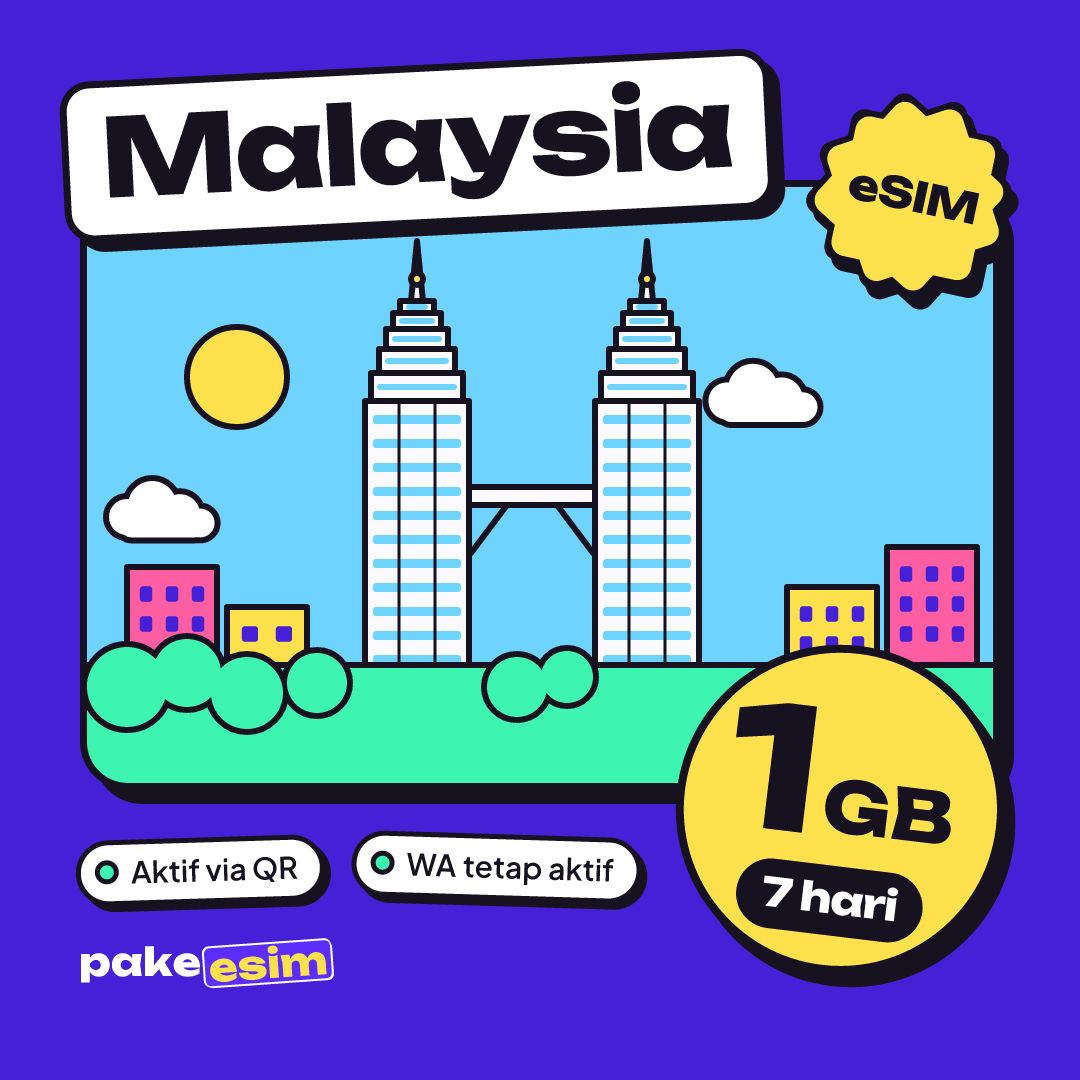
- Malaysia eSIM tourist plans come in four fixed sizes: 1GB/7 days, 2GB/15 days, 3GB/30 days, and 4GB/30 days, all data-only with no top-ups.
- For a one-week Malaysia trip covering KL plus Penang or Melaka, a 2GB/15-day eSIM plan fits daily maps, Grab, and WhatsApp use.
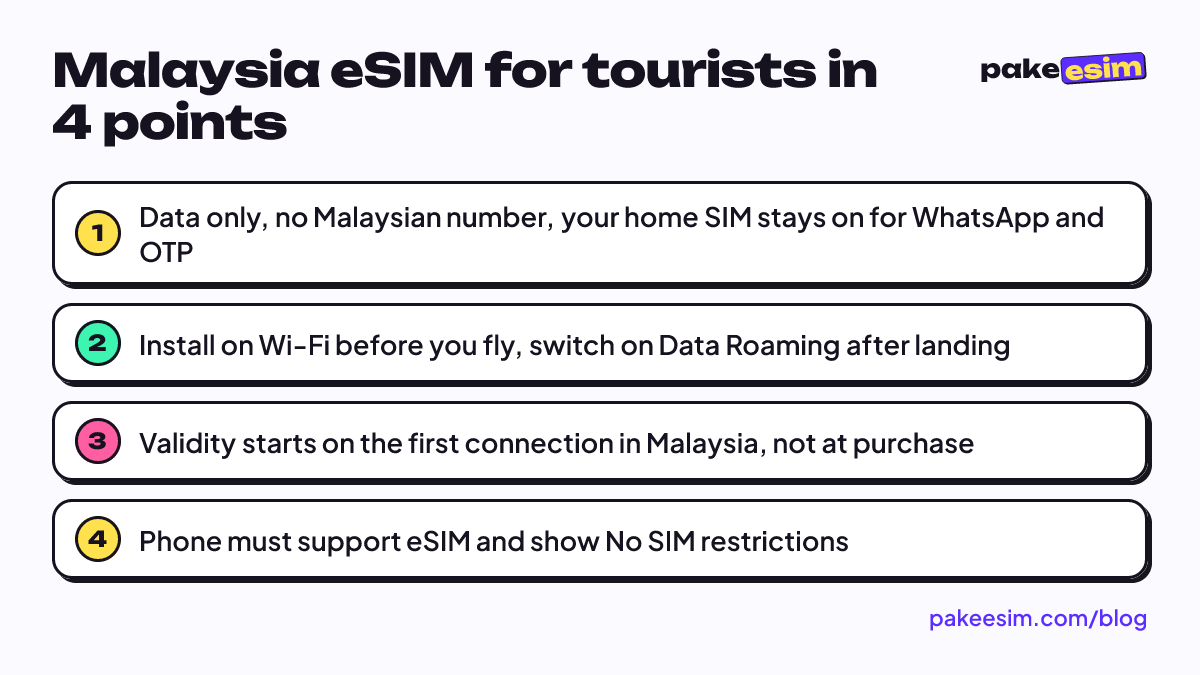
- Malaysia eSIM validity starts at the first network connection inside Malaysia, not at purchase, so installing a few days early is safe.
- iPhones need an XS model or later to support eSIM, and Carrier Lock must show No SIM restrictions for a Malaysia eSIM to work.
- A Malaysia eSIM plan covers Sabah and Sarawak in Borneo just like Kuala Lumpur, but does not extend to Singapore across the Johor Bahru border.
What is a Malaysia eSIM, and does Malaysia have eSIM?
An eSIM is a SIM profile stored on a chip inside your phone. Instead of inserting a plastic card, you scan a QR code and the phone downloads the plan. A Malaysia eSIM for travel is simply a prepaid data profile that connects to Malaysian mobile networks while you are in the country.
Malaysia itself is well set up for eSIM. The big local operators sell eSIMs to their own customers, and travel eSIMs ride on those same networks. So the short answer to "can Malaysia use eSIM" is yes. The real question is whether your phone can.
Two things decide that:
- The phone supports eSIM. On iPhone that means an XS or later, according to Apple's eSIM setup page. Many recent Samsung, Pixel, and other mid- to high-end Android phones support it too. Dial *#06# and look for an EID number.
- The phone is not carrier-locked. On iPhone, go to Settings, General, About, and check Carrier Lock. If it says "No SIM restrictions", you are fine, as Apple explains here.
Certain dual nano-SIM iPhones sold in mainland China and Hong Kong (model codes ending in CH/A or ZA/A) cannot use these plans. If you are unsure, run through our phone compatibility checklist before paying.
Malaysia eSIM tourist plans and current prices
Pakeesim sells four Malaysia plans, all data only, all fixed allowances. Prices below are pulled live from the store, so they are always current.
| Plan | Data | Validity | Price | Per day |
|---|---|---|---|---|
| eSIM Malaysia 1 GB / 7 Days | 1 GB | 7 days | Rp17.100 | ±Rp2.443 |
| eSIM Malaysia 2 GB / 15 Days | 2 GB | 15 days | Rp28.500 | ±Rp1.900 |
| eSIM Malaysia 3 GB / 30 Days | 3 GB | 30 days | Rp39.900 | ±Rp1.330 |
| eSIM Malaysia 4 GB / 30 Days | 4 GB | 30 days | Rp62.700 | ±Rp2.090 |
A few things hold for every plan. The data can be used any time within the validity window, with no daily cap. There is no Malaysian phone number, no SMS, and no regular calls; WhatsApp calls and other app calls work over data. Plans cannot be topped up. If you run out, you buy another plan and scan a new QR code.
As for "why is a Malaysia eSIM so expensive", it usually is not, once you look at the cost per day. The 30-day plans work out cheapest per day, while the 7-day plan costs the most per day but the least overall. If your trip is 5 or 6 days and you mostly hop between hotel and mall Wi-Fi, the small plan is the sensible buy. You can compare all regions on the full plan list.
How much data do you need for a Malaysia trip?
Our rule of thumb: 1 GB covers roughly one day of maps, chat, and moderate social media for a typical user. People who rely on hotel Wi-Fi in the evening use far less than that. People who post Instagram stories from Petronas Towers every hour use far more.
| Trip type | Typical use | Plan that fits |
|---|---|---|
| Weekend in KL, 3 to 5 days | Grab, Maps, WhatsApp, hotel Wi-Fi at night | 1 GB / 7 days |
| One week, KL plus Penang or Melaka | Navigation all day, some social media | 2 GB / 15 days |
| Two weeks, including Sabah or Langkawi | Daily navigation, photos, a few video calls | 3 GB / 30 days |
| Study visit, work trip, or a month-long stay | Email, video meetings, hotspot for a laptop | 4 GB / 30 days |
Honest take: 1 GB for a full 7 days is tight if you are using Google Maps and Grab all day without Wi-Fi. It works for short trips or very light users. For a typical week of sightseeing, the 2 GB plan is the one we would pick.
Some habits stretch any plan. Download offline Google Maps for Kuala Lumpur and your other cities before you go. Turn off automatic video play in Instagram and TikTok. Let photo backups wait for hotel Wi-Fi.
eSIM, roaming, or an airport SIM card: which one?
You have three realistic ways to stay online in Malaysia. Each one is fine in the right situation.
| Travel eSIM | Home carrier roaming | Malaysian prepaid SIM card | |
|---|---|---|---|
| When you get online | Right after landing | Right after landing | After buying and registering |
| Registration | None at the airport | None | Passport plus proof of address |
| Keeps your home number | Yes, home SIM stays in | Yes | Only on dual-SIM phones |
| Local Malaysian number | No | No | Yes |
| Cost control | Fixed price, fixed data | Depends on your carrier, can add up fast | Usually cheap per GB |
| Best for | Most tourists with an eSIM phone | Very short trips, or phones without eSIM | Long stays that need a local number |
The SIM card route is not hard, but it does involve paperwork. Malaysia requires every prepaid user to be registered, and the MCMC prepaid registration FAQ says tourists staying under three months need their full name as in the passport, passport number, issuing country, and a hotel or temporary address, with proof such as a hotel booking. MCMC is the Malaysian Communications and Multimedia Commission, the national telecom regulator. That is easy enough at a counter, but less fun at 1 a.m. after a delayed flight.
If you need a Malaysian number to receive calls, for example to register with a local service, a physical SIM is the right tool. For everyone else, a travel eSIM skips the queue.
How to install and activate a Malaysia eSIM
Setup takes about five minutes. The important part is doing it at home, on Wi-Fi, before you leave.
Before you fly
- Buy the plan, pay, and wait for the QR code to appear on your order page. It is also emailed to you.
- While on Wi-Fi, open Settings, then Cellular (iPhone) or Connections, SIM manager (Samsung), and choose Add eSIM.
- Scan the QR code. Label the new line something like "Malaysia" so you can tell it apart.
- Keep your home SIM as the line for calls and texts, so your number still gets WhatsApp and bank OTPs.
- Leave the Malaysia line's data switched off for now.
The QR code can usually be scanned only once, so install it on the phone you are actually taking.
After you land
- Set the Malaysia eSIM as your Cellular Data line.
- Turn on Data Roaming for the Malaysia line. This is normal for travel eSIMs, and it does not trigger roaming charges from your home carrier.
- Turn off Data Roaming on your home SIM if you want to avoid your own carrier's roaming fees.
- Wait a minute for the phone to register on a network.
Validity begins when the eSIM first connects in Malaysia, not when you buy it, so buying a few days early is safe. Screenshots for each phone are in our step-by-step installation guide, and iPhone users can follow the longer walkthrough on installing an eSIM on iPhone.
Does a Malaysia eSIM work in Singapore or Borneo?
Borneo: Sabah and Sarawak are part of Malaysia, so a Malaysia plan covers Kota Kinabalu, Kuching, and Miri just like Kuala Lumpur. Coverage in cities and along main roads is what you would expect. Deep in national parks or on remote islands, signal can be weak or missing on any network, so download offline maps before heading out to places like Mulu or the Kinabatangan.
Singapore: No. The Malaysia plan covers Malaysia only. If your route crosses the Causeway from Johor Bahru to Singapore, you have two options:
- Buy a separate Singapore plan for the Singapore days.
- Get one Asia eSIM, which covers Malaysia, Singapore, Thailand, and 17 more countries without switching profiles.
For a KL, Singapore, and Bangkok loop, the Asia 3 GB / 30 days plan is usually simpler than juggling three QR codes. What about activating a Malaysia plan while still in Singapore? You can install it there on Wi-Fi, but data only starts once the phone is on a Malaysian network, so expect it to come online after you cross into Johor.
Why is my Malaysia eSIM not working?
Most "no internet" problems come down to a switch. Work through these in order:
- Wrong data line. The Malaysia eSIM must be selected as the Cellular Data line.
- Data Roaming is off. Turn it on for the Malaysia line specifically.
- Network search is stuck. Turn airplane mode on, wait ten seconds, turn it off.
- Automatic network selection failed. Go to Network Selection, turn off Automatic, and pick a network from the list manually.
- The line is turned off. Check that the eSIM line itself is switched on, not just installed.
If none of this helps, the cause is usually the phone itself. A carrier-locked phone may accept the QR code but never connect. That is why it pays to check the Carrier Lock line before you buy.
"Why is my Malaysia eSIM not working in the USA" is a different question with a simple answer. The plan only connects inside Malaysia. Installing at home in the US or elsewhere is fine; using data there is not possible.
Is a Malaysia eSIM safe, and can you buy it from outside Indonesia?
A travel eSIM is about as safe as any SIM card, and in one way safer. There is no card to lose or swap, and the profile is tied to your phone. Treat the QR code like a password, though. Anyone who scans it first gets the plan.
Now for an important practical point. Pakeesim is an Indonesian store, prices are in rupiah, and support runs in Indonesian from 08.00 to 22.00 Western Indonesia Time (UTC+7). That said, payment is online through Midtrans: bank virtual accounts, QRIS, GoPay, ShopeePay, convenience stores, and credit cards, so travelers from the US or Europe can pay too. The total is exactly the plan price with no admin fee, and the order is confirmed automatically once paid.
Before you fly to Malaysia
Plenty of people plan Malaysia around the December and January holidays, and shared hotel Wi-Fi tends to slow down when every guest is back in their room at once. If your trip falls in that window, buy and install your eSIM a few days early, and lean toward the bigger plan if you plan to rely on mobile data rather than shared Wi-Fi.
A quick checklist:
- Phone shows an EID and "No SIM restrictions".
- Plan sized for your days and habits, not just the cheapest one.
- QR code installed on Wi-Fi before departure.
- Offline maps downloaded for your cities.
For a month-long stay or remote work, the 4 GB plan gives you more breathing room.
Not sure your phone qualifies? Our iPhone eSIM compatibility list goes model by model. Then grab a plan, install it at home, and enjoy your first teh tarik without hunting for Wi-Fi.