Destinations
Singapore Has No Winter: Tourist eSIM for 7 Days of Monsoon Season
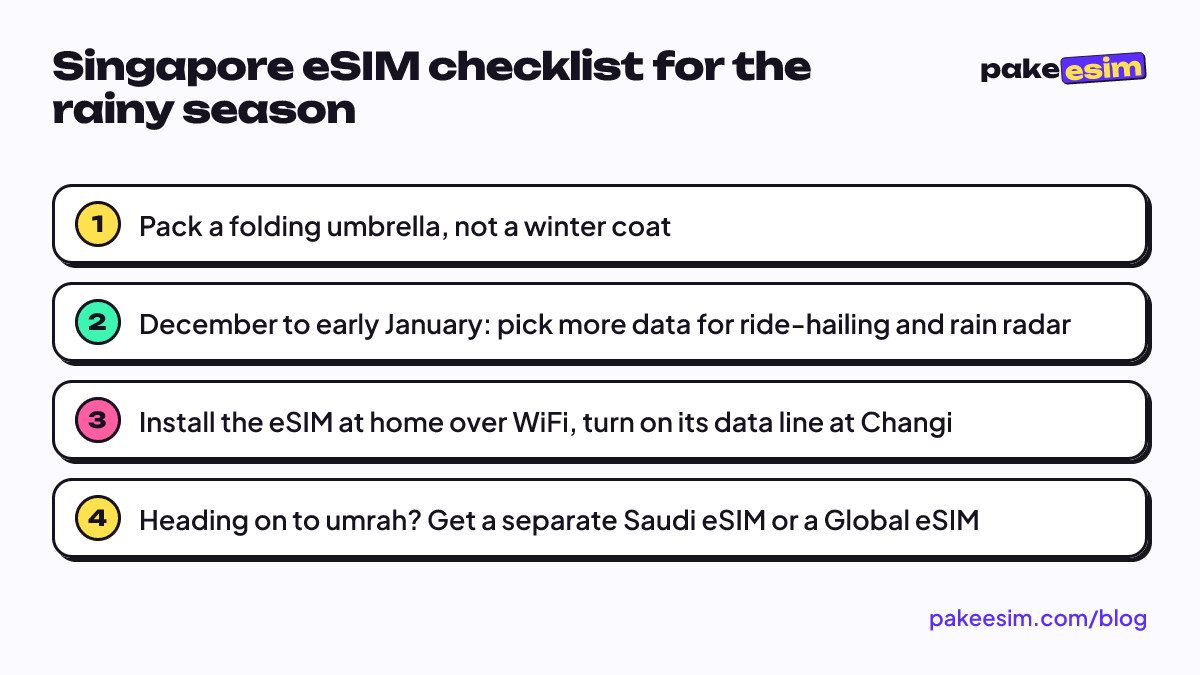
Singapore has no winter, so a Singapore eSIM works the same in any month. What changes in the December to January rains is how much data you use, and a route that continues to Saudi Arabia needs a separate eSIM.

Contents
- Does Singapore have a winter or summer season?
- Is a Singapore eSIM for tourists different in winter or summer?
- How many GB for 7 days in Singapore from November to January?
- Singapore, Saudi Arabia, or Global eSIM: which one for your route?
- How to set up a Singapore eSIM before a year-end trip
- 1. Check your phone
- 2. Buy and pay
- 3. Scan the QR code and set the data line
- 4. When you land at Changi
- Before you fly to Singapore
Singapore has no winter, so there's no winter or summer version of a Singapore eSIM. For a tourist trip of 7 days, the same data plan works the same way in any month. What does change through the year is the rain. Roughly December to early January is the wettest stretch of the northeast monsoon, with heavy downpours that can last for hours. That changes how you use data. You'll open ride-hailing apps, rain radar, and the MRT map more often. One more thing if your route continues to Saudi Arabia: a Singapore eSIM won't work there.
Key takeaways (TL;DR)
- Singapore has a tropical climate with no winter, and daily temperatures usually stay between about 23 and 33 °C all year, according to the Meteorological Service Singapore.
- A Singapore eSIM works the same in every month, because a data plan depends only on its data allowance and validity, not on the season.
- The northeast monsoon runs from December to early March, and the heaviest rain usually falls from December to early January.
- A Singapore eSIM only works in Singapore, so a trip that continues to Saudi Arabia needs a Saudi Arabia, Middle East, or Global eSIM.
Does Singapore have a winter or summer season?
Singapore has neither a winter nor a summer like four-season countries. Temperatures barely move across the year, and the "seasons" there are really about which way the monsoon wind blows and how much rain falls.
The national weather service puts it plainly:
"Singapore is situated near the equator and has a typically tropical climate, with abundant rainfall, high and uniform temperatures, and high humidity all year round." (Meteorological Service Singapore)
According to the official climate page of the Meteorological Service Singapore, nights rarely drop below 23 to 25 °C and days rarely go above 31 to 33 °C. It rains on 171 days a year on average. The yearly pattern looks roughly like this:
- Northeast monsoon (December to early March): the first half, usually December to early January, brings moderate to heavy rain that can go on for a long time.
- Inter-monsoon (late March to May, and October to November): frequent afternoon thunderstorms.
- Southwest monsoon (June to September): relatively drier, though it still rains.
So if you were about to pack winter clothes for Singapore, leave the coat at home. A folding umbrella is far more useful. A light jacket is enough for the malls and MRT trains, where the air conditioning really is cold.
Is a Singapore eSIM for tourists different in winter or summer?
A Singapore eSIM is not sold by season. A data plan is defined only by its data allowance and validity, so a 2 GB Singapore eSIM installed in July works exactly like one installed in December. The mobile network doesn't get "weaker" in the wet months either, although heavy rain may keep you indoors longer.
What really sets a year-end trip apart is how you use data:
- More ride-hailing. In a downpour, walking 800 meters from the station to your hotel loses its charm. Ride-hailing apps use GPS and data the whole time you wait.
- Checking rain radar. Plenty of people open a weather app several times a day to time their exit from a mall.
- More time indoors. Malls, museums, and Changi Airport usually have WiFi, so part of your usage moves to WiFi. That saves data, as long as you remember to connect.
- Christmas and New Year's Eve videos. Uploading video to social media eats more data than anything else. If you plan to post a lot of clips, wait for the hotel WiFi.
Everything else stays the same. A data eSIM sits next to your main SIM, so your home number stays active for WhatsApp and SMS one-time codes from your bank. The eSIM doesn't give you a Singapore number and can't make regular calls or send SMS.
How many GB for 7 days in Singapore from November to January?
For a 3 to 5 day holiday in Singapore during the year-end rainy season, 2 GB is usually safer than 1 GB, since you'll use maps, transport apps, and weather checks more. For 5 to 7 days with frequent ride-hailing, 3 GB gives you room.
A 1 GB plan makes sense for a transit stop or a 1 to 2 day visit with reliable hotel WiFi.
The rule of thumb from our store FAQ: 1 GB covers roughly one day of maps, chat, and moderate social media without WiFi. Since you're almost always near WiFi in Singapore (hotels, malls, the airport), your real need can be much lower. This is the rough guide we use:
| Trip plan | Typical use | Plan that fits |
|---|---|---|
| 1-day Changi transit | Chat, gate checks, a bit of maps | 1 GB / 7 days |
| 3 to 5 day holiday, lots of WiFi | Maps, MRT, chat, photos | 2 GB / 15 days |
| 5 to 7 day year-end holiday, frequent ride-hailing | Maps, rain radar, posting stories | 3 GB / 30 days |
| Study, conference, or remote work for 2 to 4 weeks | Email, occasional video calls, laptop hotspot | 4 GB / 30 days |
Honestly, we think 1 GB is too tight for 5 days in December if you like sharing your live location with the family group chat. If you run out mid-trip, you can buy a new QR code, but a plan can't be topped up.
Current prices for every Singapore plan are in the table below:
| Plan | Data | Validity | Price | Per day |
|---|---|---|---|---|
| eSIM Singapore 1 GB / 7 Days | 1 GB | 7 days | Rp8.900 | ±Rp1.271 |
| eSIM Singapore 2 GB / 15 Days | 2 GB | 15 days | Rp17.900 | ±Rp1.193 |
| eSIM Singapore 3 GB / 30 Days | 3 GB | 30 days | Rp25.900 | ±Rp863 |
| eSIM Singapore 4 GB / 30 Days | 4 GB | 30 days | Rp34.900 | ±Rp1.163 |
For a short trip in the rainy season, this is the plan that most often fits:
Singapore, Saudi Arabia, or Global eSIM: which one for your route?
A Singapore eSIM only works in Singapore, so it won't connect when you land in Jeddah or Madinah. Umrah pilgrims with a Changi transit, or families who combine a Singapore holiday with umrah at the end of the year, need to choose between two separate eSIMs or one multi-country eSIM.
This is where "winter" actually matters. Saudi Arabia has a cooler stretch at the end of the year, so some travelers pair umrah with a stopover in Singapore. The options look roughly like this:
| Route | eSIM choice | Notes |
|---|---|---|
| Singapore only | Singapore eSIM | Simplest, full data for one country |
| A few hours' transit in Singapore, then umrah | Saudi Arabia eSIM, plus Changi WiFi during transit | Airport WiFi is enough for a short transit |
| 2 to 3 days in Singapore, then umrah | Singapore eSIM + Saudi Arabia eSIM | Two profiles, each turned on when you arrive in its country |
| Singapore, Saudi Arabia, and other countries | Global eSIM (88 countries) | One profile, data shared across all countries |
The Asia eSIM covers Singapore but not Saudi Arabia, while the Middle East eSIM covers Saudi Arabia but not Singapore. If the umrah leg is the longest part, read our guide to the best eSIM for Saudi Arabia for umrah and umrah plus for the data math. If Singapore is just one of several Asian stops, the Asia eSIM travel guide covering 20 countries is more relevant.
Two eSIMs on one phone is normal. Many iPhones can store several eSIMs and you just pick which line handles data; see which iPhone models support dual eSIM for the details.
How to set up a Singapore eSIM before a year-end trip
Install your Singapore eSIM in Indonesia while your phone is still on WiFi, then switch its data line on once you land at Changi. The validity starts when the eSIM first connects to a network in Singapore, not when you buy it, so buying a few days before you fly is fine.
1. Check your phone
Your phone must support eSIM and must not be carrier-locked. A quick test is to dial *#06# and look for an EID, then check for an "Add eSIM" option in your cellular settings. The full list is on our page for checking which phones support eSIM. iPhones with model codes CH/A and ZA/A that have two physical SIM slots are not supported.
2. Buy and pay
Choose a plan, then pay online in rupiah on the payment page: bank virtual accounts, QRIS, GoPay, ShopeePay, convenience stores, or credit card. The total is exactly the plan price with no admin fee, and the order is confirmed automatically once paid. The steps are in our guide to paying online. Unpaid orders expire after 3 hours.
3. Scan the QR code and set the data line
Once your payment is confirmed, the QR code appears on your order page and is sent by email. Scan it from the phone you'll travel with, since a QR code can usually be used only once. On an iPhone, Apple's official guide to setting up eSIM shows which menus to use. Step-by-step screens for iPhone and Android are in our guide to installing and activating an eSIM.
4. When you land at Changi
Set the eSIM as your cellular data line, turn on "Data Roaming" for that eSIM line, then switch airplane mode on and off once. Keep your Indonesian SIM active for WhatsApp and one-time codes, but turn off data roaming on that line so your home carrier's roaming rates don't kick in.
Before you fly to Singapore
Bring an umbrella instead of a heavy coat, and give yourself a bit more data if your trip falls in December or early January. One Singapore eSIM covers every season there. If Saudi Arabia is part of the route, sort out the second eSIM at the same time and install both at home. You can browse all Singapore plans in the Singapore eSIM catalog.