Destinations
Cambodia eSIM Tourist Plan 2026: What It Covers, How Many GB, Setup
A Cambodia eSIM tourist plan is a digital data package that switches on once it connects to a network in Cambodia. It works for Maps, WhatsApp, and other apps, but has no local number and does not work in Indonesia.

Contents
- What is a Cambodia eSIM tourist plan and what can you use it for?
- Can a Cambodia eSIM be used in Indonesia?
- How much is a Cambodia eSIM tourist plan in 2026, and which one fits?
- Cambodia eSIM, Telkomsel roaming, or a local SIM: which one?
- Which phones work with a Cambodia eSIM?
- How to set up a Cambodia eSIM before you fly
- 1. Buy and pay
- 2. Scan the QR code at home
- 3. Set it up after landing
- Why is my Cambodia eSIM not working?
- Is a Cambodia eSIM safe to use?
- Before you fly to Phnom Penh or Siem Reap
A Cambodia eSIM tourist plan is a digital data package you install on your phone with a QR code, and it switches on once it connects to a mobile network in Cambodia. It does one job: data. You can open Google Maps in Phnom Penh, book a ride in an app, send Angkor Wat photos to the family group, and video call from your hotel in Siem Reap. What you do not get is a Cambodian phone number, SMS, or regular calls. Your home number stays on your main SIM, so WhatsApp and bank OTP texts keep working.
Key takeaways (TL;DR)
- A Cambodia eSIM is a prepaid data plan with no physical card, and it only works on mobile networks inside Cambodia, not in Indonesia.
- A Cambodia eSIM does not include a local number, SMS, or regular calls, but WhatsApp calls and other apps still work over data.
- The validity of a Cambodia eSIM starts when it first connects to a network in Cambodia, not on the day you buy it.
- To use a Cambodia eSIM, your phone needs an EID (check by dialing *#06#) and must not be carrier-locked.
- A Cambodia eSIM plan cannot be topped up, so when the data runs out you need to buy a new QR code.
What is a Cambodia eSIM tourist plan and what can you use it for?
A Cambodia eSIM tourist plan is a digital SIM profile loaded with mobile data that you use while you are in Cambodia, for any app that needs the internet. It does not replace your current number and does not give you a Cambodian one, because the plan contains mobile data only.
In practice, you can use it for:
- Navigation with Google Maps or Maps.me in Phnom Penh, Siem Reap, and Kampot.
- Booking rides and food through apps, which usually need live data while you are out on the street.
- Chats and calls on WhatsApp, Telegram, or LINE, video calls included.
- Social media, photo uploads, and checking work or campus email.
- Opening e-tickets, boarding passes, and hotel confirmations stored in the cloud.
- Hotspot for a laptop or a friend's phone. Most plans allow it, and it draws from the same data allowance.
The limits matter just as much. The plan cannot receive SMS from Cambodian services, cannot call regular numbers, and cannot be topped up. If a service insists on a local number for verification, you will need a physical Cambodian SIM card.
Why does it feel cheap compared with roaming? Partly because it really is data only, with no voice or SMS bundled in, and the data comes in small sizes that fit a holiday of a few days.

Can a Cambodia eSIM be used in Indonesia?
A Cambodia eSIM cannot be used to get online in Indonesia. The plan only connects to partner networks in Cambodia, so in Jakarta or Surabaya the profile sits installed on your phone but gets no data signal. The only thing you can do with it in Indonesia is install the QR code over Wi-Fi.
Plenty of people assume a foreign eSIM can double as backup data at home. Sadly, it does not work that way. Installing early is actually recommended, because the validity only starts when the eSIM first connects to a network in Cambodia. A QR code installed in Bandung on Monday does not lose any days even if you only fly on Friday.
Need internet in Indonesia on a phone whose IMEI is not registered, such as an iPhone bought abroad? That calls for a different product, an Indonesia eSIM that runs as a roaming line. The details are in our Bali and Indonesia eSIM guide for tourists. For Cambodia itself, stick with a Cambodia plan or a regional plan that covers Cambodia.
How much is a Cambodia eSIM tourist plan in 2026, and which one fits?
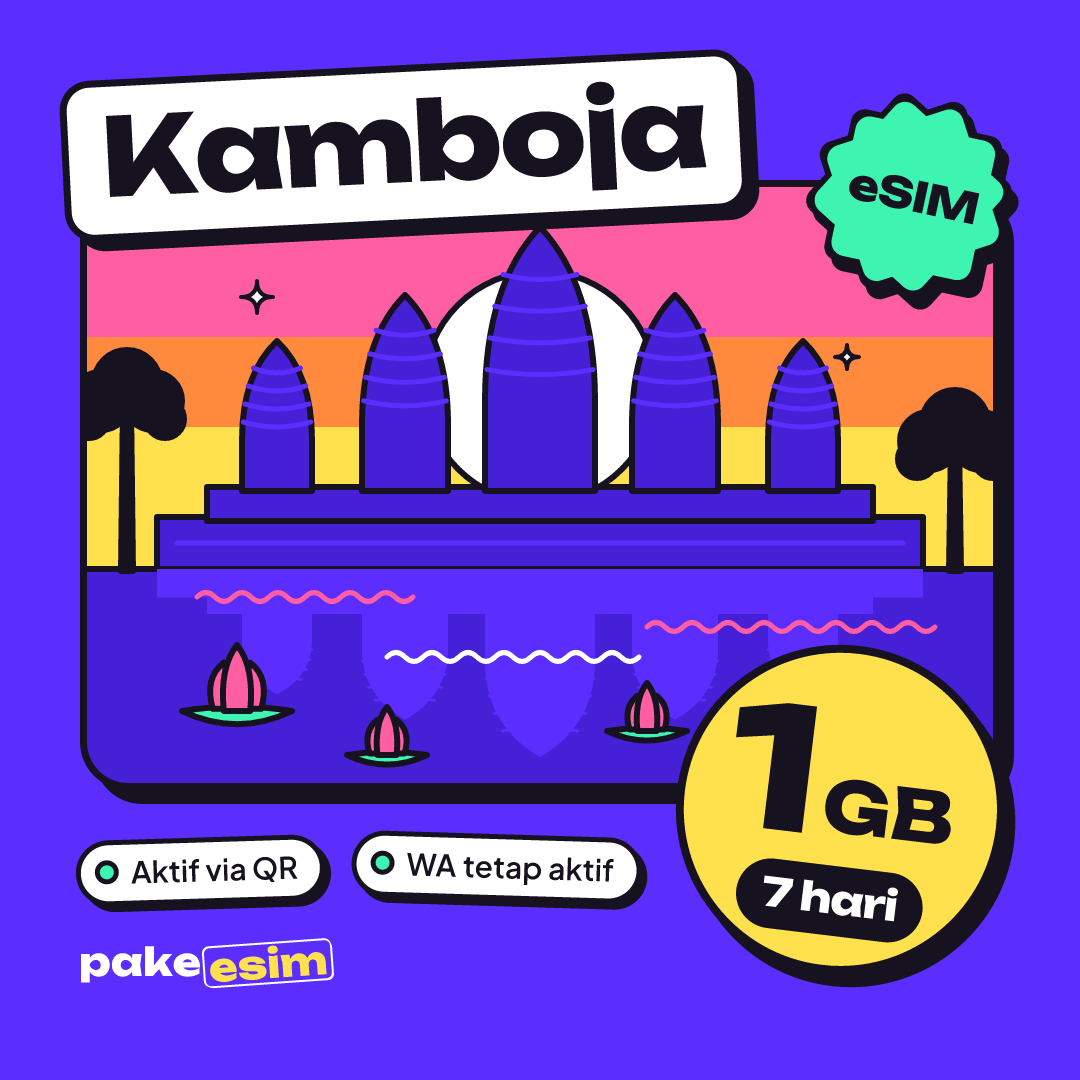
The Cambodia eSIM comes in four sizes in the catalog, from 1 GB for 7 days up to 4 GB for 30 days. Prices are in Indonesian rupiah, and the table below reads them live from the catalog, so it stays current even if you open this article months from now.
| Plan | Data | Validity | Price | Per day |
|---|---|---|---|---|
| eSIM Cambodia 1 GB / 7 Days | 1 GB | 7 days | Rp17.100 | ±Rp2.443 |
| eSIM Cambodia 2 GB / 15 Days | 2 GB | 15 days | Rp28.500 | ±Rp1.900 |
| eSIM Cambodia 3 GB / 30 Days | 3 GB | 30 days | Rp39.900 | ±Rp1.330 |
| eSIM Cambodia 4 GB / 30 Days | 4 GB | 30 days | Rp62.700 | ±Rp2.090 |
The store's rule of thumb is simple. 1 GB covers roughly one day of maps, chat, and moderate social media, and if you video call or stream often, plan for twice that. That estimate counts data use across a full day. If you sleep in a hotel with decent Wi-Fi, your mobile data needs drop quite a bit.
Our take on how to split it:
- A layover or 2–3 days in Phnom Penh, with hotel and café Wi-Fi: 1 GB / 7 days can work, but it gets tight if you post stories a lot.
- A 4–6 day trip covering Siem Reap and Phnom Penh: 2 GB / 15 days is the safer pick. A full day in the Angkor complex tends to go on Maps, photos, and chat.
- More than a week, remote work, or frequent hotspot use: 4 GB / 30 days. The price difference is smaller than buying a second QR code halfway through the trip.
The 3 GB / 30 day plan suits long stays with light use, say a volunteer or researcher who spends most of the day in an office with Wi-Fi. For regular travelers who are out and about, we lean toward 4 GB.
Not only visiting Cambodia? Plenty of travelers string together Bangkok, Siem Reap, and Ho Chi Minh City overland. For a route like that, an Asia eSIM that covers 20 countries is more practical, since Cambodia, Thailand, Vietnam, and Laos sit in one profile with no QR swap at the border. You can compare every option in the Cambodia eSIM plan catalog.
Cambodia eSIM, Telkomsel roaming, or a local SIM: which one?
A Cambodia eSIM is the cheapest choice for a short holiday, operator roaming is the most convenient if you need your Indonesian number to keep receiving regular calls, and a local SIM suits long stays that need a Cambodian number. The right pick depends on how long you stay and whether you need a local number.
For comparison, as of October 2026 Telkomsel's page on RoaMAX Southeast Asia roaming packages lists Cambodia in its coverage, with example packages of 10 GB for 7 days at Rp150,000 and 20 GB for 15 days at Rp250,000. Telkomsel is one of Indonesia's biggest mobile operators, and those allowances are generous. Telkomsel also notes that prices, data, and validity can change, so check again in the MyTelkomsel app before you decide.
| Cambodia eSIM | Telkomsel roaming (RoaMAX) | Local Cambodian physical SIM | |
|---|---|---|---|
| How you get it | Scan a QR code before you leave | Activate a package in MyTelkomsel | Buy at the airport or an operator store |
| Number | No local number | Keeps your Indonesian number | Cambodian number |
| SMS and regular calls | No | Yes, at roaming rates | Yes |
| Data | 1–4 GB, valid 7–30 days | Example 10 GB / 7 days | Varies by operator |
| Payment | QRIS, e-wallet, virtual account, or card, in rupiah | Telkomsel credit or balance | Pay at the counter |
| Online when you land | Yes, already installed | Yes | After queuing and passport registration |
A local physical SIM gives you a Cambodian number and big data allowances. The three major operators are Smart Axiata, Cellcard, and Metfone, and Smart Axiata sells a Smart Traveller SIM for visitors. The downsides: you need your passport for registration, you queue at the counter, and your Indonesian SIM has to come out if your phone only has one physical slot.
If you are a Telkomsel subscriber and have already compared plans for other countries, our Asia eSIM vs Telkomsel eSIM comparison runs similar numbers in more detail.
Which phones work with a Cambodia eSIM?
A phone for a Cambodia eSIM must support eSIM and must not be carrier-locked. These two requirements cause the most failed purchases, and buying for a phone that does not meet them is the buyer's responsibility, so check before you check out.
How to check:
- Dial *#06# in the phone app. If an EID number shows up, the phone has an eSIM chip.
- Open Settings and look for Add eSIM or Add Cellular Plan. On Android it may be called Download SIM or Add eSIM.
- Make sure SIM Lock or Carrier Lock does not say Locked. Used phones from overseas markets are the most likely to still be locked.
- Check the iPhone model code. Certain dual nano-SIM iPhones with the CH/A and ZA/A codes do not support eSIM.
On iPhone, eSIM is supported from the iPhone XS, XS Max, and XR onward. For Samsung, the official list of Galaxy phones that support eSIM covers the S20 through S26 series plus the Z Fold and Z Flip lines, with the note that support can differ depending on the country the unit was sold in. The fastest route is still our eSIM phone compatibility checker. Android users can also read how to check eSIM support on Android phones.
How to set up a Cambodia eSIM before you fly
A Cambodia eSIM is best installed in Indonesia while your phone is on Wi-Fi, with data roaming switched on only after you land in Cambodia. The steps are below, and an illustrated version is in the eSIM setup guide for iPhone and Android.
1. Buy and pay
Pick a plan, check out with your name and email, and confirm your phone supports eSIM. Then pay the exact total by QRIS, e-wallet, virtual account, or card on the Midtrans payment page, in rupiah with no admin fee. The order is confirmed automatically, no receipt upload needed, and the QR code appears on your order page and is emailed to you. Unpaid orders expire after 3 hours, and payment details are on the payment page.
2. Scan the QR code at home
On iPhone, go to Settings, Cellular, Add eSIM, then choose Use QR Code. Apple also describes a camera shortcut:
"Open the Camera app and scan your QR code. When the Cellular Plan Detected notification appears, tap it." (Apple Support on setting up eSIM on iPhone)
Label the line "Cambodia" so it does not get mixed up with your home SIM. Screen-by-screen steps for iPhone are in how to install an eSIM on iPhone, from QR scan to data roaming.
3. Set it up after landing
As soon as the wheels touch down in Phnom Penh or Siem Reap, select the Cambodia eSIM as your cellular data line and turn on Data Roaming for that line. Keep your home SIM active for calls and OTP texts, but switch off data roaming on it so you do not run up an accidental roaming bill.
Why is my Cambodia eSIM not working?
A Cambodia eSIM usually fails because Data Roaming is still off on the eSIM line, cellular data is still set to your home SIM, or the phone has not found a network yet after landing. All three can be fixed in a few minutes without buying a new plan.
Try this order:
- No signal at all: turn airplane mode on for about 10 seconds, then off, so the phone searches for networks again. If it is still empty, turn off automatic network selection and pick an operator manually from the list.
- Signal but no internet: check that Cellular Data points to the Cambodia eSIM and that the Data Roaming toggle for that line is on.
- No eSIM prompt when scanning the QR: the phone probably does not support eSIM or is still carrier-locked. Repeat the EID check with *#06#.
- The eSIM disappeared from the list: a deleted profile usually cannot be reinstalled from the same QR code, because eSIM QR codes can generally only be scanned once. Do not delete the profile just to "reset" it. Contact support with your order number.
- Data ran out: plans cannot be topped up, so buy a new plan and install the new QR code.
Customer support runs 08.00–22.00 WIB (Western Indonesia Time, UTC+7) and replies in Indonesian. Cambodia uses the same time zone as WIB, so the hours are easy to follow.
Is a Cambodia eSIM safe to use?
A Cambodia eSIM is safe as long as you install it on your own phone and keep the QR code private. An eSIM cannot be pulled out of the phone like a physical card, so if your phone is pickpocketed, the thief cannot simply move your SIM to another device.
Apple puts it plainly on its page about eSIM for international travel on iPhone:
"eSIM is more secure than a physical SIM because it can't be removed if your iPhone is lost or stolen." (Apple Support on travel eSIM)
Two small habits make it safer still. Do not share a screenshot of the QR code, because anyone can scan it on any phone before you install it. And turn on a screen lock plus a SIM PIN for your home SIM, so the number your bank sends OTP codes to stays protected.
As for whether it is any good, honestly, internet speed in Cambodia depends on where you are. In central Phnom Penh and Siem Reap it is generally smooth for Maps and chat. On intercity roads or in the countryside the signal can weaken, and that applies to every kind of SIM.
Before you fly to Phnom Penh or Siem Reap
If you only need internet for Maps, chat, and photo uploads on holiday, a data-only plan is enough. Check your phone first, pick a data size that matches your trip (we lean toward 2 GB for 4–6 days and 4 GB for anything over a week), then install the QR code over Wi-Fi at home. Once you land, switch on data roaming and you can book a ride from the arrivals hall. Enjoy Angkor, and bring a hat.