Imported Phones & IMEI
Do I Need to Register IMEI in Indonesia? International iPhone Pros and Cons
Yes, for long-term use. Without IMEI registration through Bea Cukai, Indonesian SIM cards get no signal. Once registered, an international iPhone matches an iBox unit; the remaining risks are warranty and carrier locks.
Contents
- Do I need to register IMEI in Indonesia to use my iPhone long term?
- Hardware and software
- Signal and IMEI
- Warranty and repairs
- International iPhone vs iBox: pros and cons
- Which models are still worth buying: XR, 11, 13, 15, or SE?
- Is it safe for mobile banking and gaming?
- IMEI not registered yet: what are your options?
- So, is it worth keeping for years?
Do I need to register IMEI in Indonesia for an iPhone bought abroad? For long-term use, yes: without registration, Indonesian SIM cards won't get a signal on that phone. Once the IMEI is registered through Bea Cukai (Indonesian Customs), an international iPhone is safe to keep for years, since its hardware and iOS updates match a locally sold iBox unit. The real risks sit outside the phone: IMEI status, a warranty that may be limited to the country of purchase, and carrier locks on used units. New to the terms? Start with our explainer on international iPhones, iBox units, and IMEI registration.
Key takeaways (TL;DR)
- An iPhone bought abroad with an unregistered IMEI gets no signal at all from Indonesian SIM cards.
- Bea Cukai gives regular passengers a USD 500 customs deduction, then charges 10% import duty plus 12% VAT above that.
- Apple's warranty may be limited to the country where an international iPhone was originally sold.
- iOS 26 supports iPhone 11 and later, plus the iPhone SE 2nd generation and later, international or iBox alike.
- eSIM works on iPhone XR, XS, and later, except some China, Hong Kong, and Macao models that use two nano-SIM cards instead.
Do I need to register IMEI in Indonesia to use my iPhone long term?
An international iPhone (people here call it "iPhone inter") is an iPhone sold officially for another market, such as the US, Japan, or Singapore, and then brought into Indonesia. It is a genuine Apple product. It just didn't come through Apple's Indonesian distributor. So "is it safe" really splits into three questions.
Hardware and software
This part is easy. The chip, camera, display, and battery are identical to the iBox version of the same model. iOS updates don't depend on where you bought the phone either. According to Apple's iOS 26 compatibility list, iOS 26 runs on iPhone 11 and later plus the iPhone SE (2nd generation) and later, international or iBox alike.
That means an international iPhone ages according to its model and condition, not its label. A well-kept international iPhone 13 will age just like an iBox iPhone 13.
Signal and IMEI
This is the part that decides everything. A phone brought in from abroad with an unregistered IMEI can't pick up a signal from Indonesian SIM cards. As of October 2026, the IMEI rules on the Bea Cukai website say phones obtained abroad, whether carried as passenger baggage or shipped, must have their IMEI registered.
Registration itself is free, but taxes apply. Regular passengers get a USD 500 deduction on the customs value. Above that, you pay 10% import duty and 12% VAT (calculated on a base multiplied by 11/12). Customs also notes you need to declare the device on arrival to get that deduction. For a new iPhone priced well above USD 500, budget for this from the start.
In our view, the biggest long-term risk is a used unit sold as "already registered" with no proof. If registration didn't go through the official route, you have nothing to fall back on when the status turns out to be a problem. Ask for proof of registration and test your own local SIM before you pay.
Warranty and repairs
Apple's warranty may not cover you here. Apple's iPhone warranty document states that Apple may restrict warranty service for iPhone to the country where Apple or its authorized distributors originally sold the device. For a new unit, that means you carry the repair risk yourself during the first year. For a used unit whose warranty has already expired, the gap with iBox basically disappears, since paid repairs at a service shop work the same for both.
International iPhone vs iBox: pros and cons
A side-by-side view makes the trade-off clearer.
| Aspect | International iPhone | iBox iPhone |
|---|---|---|
| Hardware and iOS | Same | Same |
| Purchase price | Can be cheaper, depending on exchange rate, tax, and IMEI duty | Official Indonesian price |
| IMEI status | You register it yourself through Bea Cukai | Already registered |
| Local SIM before IMEI registration | No signal | Works right away |
| Apple warranty | May be limited to country of purchase | Valid in Indonesia |
| Carrier lock | Some used units are still locked | Usually free |
| eSIM | Supported from iPhone XR/XS | Same |
The complaint we hear most from owners of used units is the carrier lock. A locked iPhone only works with SIMs from its original carrier. Apple's carrier lock guide explains how to check: go to Settings, General, About, and look for "No SIM restrictions" next to Carrier Lock. Only the original carrier can remove the lock, and it can take several days.
Which models are still worth buying: XR, 11, 13, 15, or SE?
If you want three more years out of the phone, the model matters more than the international label. A rough guide:
- iPhone XR: doesn't get iOS 26. It still works, but we wouldn't buy one now for long-term use.
- iPhone 11: gets iOS 26 and supports eSIM. Fine for chat, classes, and mobile banking, though its remaining software support is shorter than newer models.
- iPhone 13: a sensible middle pick. Used units often have a worn battery, so check Battery Health before you agree on a price.
- iPhone 15: the longest runway on this list. Since it costs more than USD 500, factor import duty and VAT into the price gap with iBox.
- iPhone SE: the 2nd and 3rd generations get iOS 26 and support eSIM. The original 2016 SE doesn't.
According to Apple's eSIM page, iPhone XS, XS Max, XR, and later support eSIM. The exceptions are certain models sold in mainland China, Hong Kong, and Macao that use two nano-SIM cards instead. Not sure about yours? Check our eSIM compatibility page.
Is it safe for mobile banking and gaming?
Banking apps don't care which country your iPhone came from. Security is the same as an iBox unit as long as you keep iOS updated. Watch out for number verification, though. Some Indonesian banking apps ask for an SMS or verification from your registered number when you activate them on a new phone, and that needs a SIM that gets a signal on that phone. With an unregistered IMEI, this step can stall. Ask your bank before switching phones.
Gaming performance is identical too. The difference is the connection. On a roaming eSIM, ping can feel higher than on a local SIM, because roaming traffic isn't always routed through the nearest network. For competitive games, Wi-Fi is still the most stable choice.
IMEI not registered yet: what are your options?
There are three paths, and each fits a different situation.
- Register the IMEI with Bea Cukai. The official route, and the obvious choice if this iPhone will be your main phone for years. After that, local physical SIMs and eSIMs work normally.
- Rely on Wi-Fi. Cheap, but annoying the moment you leave home or campus.
- Stay online with a roaming eSIM. A roaming eSIM uses local networks as a guest, so it doesn't depend on your phone's IMEI status in Indonesia. It works as a bridge while registration is pending, or for shorter stays.
We'll be straight about roaming eSIMs: they are data only. No phone number, no SMS, and no top-ups. When the data runs out, you buy a new QR code. Over several years, registering the IMEI is almost always cheaper. More options and comparisons are in our guide to the best eSIM for an international iPhone in Indonesia.
Current Indonesia roaming eSIM prices are in the table below.
| Plan | Data | Validity | Price | Per day |
|---|---|---|---|---|
| eSIM Indonesia 1 GB / 7 Days | 1 GB | 7 days | Rp30.000 | ±Rp4.286 |
| eSIM Indonesia 2 GB / 15 Days | 2 GB | 15 days | Rp50.000 | ±Rp3.333 |
| eSIM Indonesia 3 GB / 30 Days | 3 GB | 30 days | Rp70.000 | ±Rp2.333 |
| eSIM Indonesia 4 GB / 30 Days | 4 GB | 30 days | Rp110.000 | ±Rp3.667 |
The math is simple. If you're on Wi-Fi most of the time at your boarding house or office and only use mobile data for Maps, ride-hailing, and chat on the go, 3 GB for 30 days is usually enough. If you video call often or scroll TikTok outside, pick a bigger plan or keep a second one ready.
Setup steps are in how to install an eSIM on iPhone and our eSIM installation guide. One honest note for visitors: payment is only by Indonesian bank transfer or QRIS, in rupiah. Details are on the payment page.
So, is it worth keeping for years?
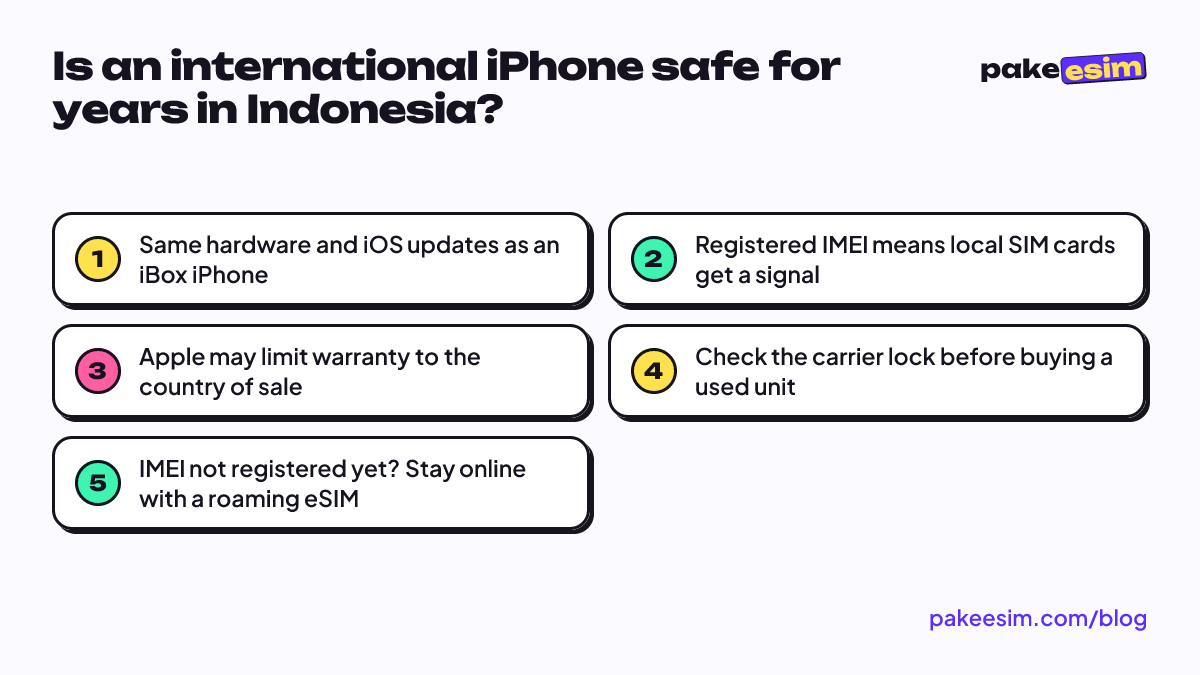
Yes, with conditions. Before you buy or commit to an international iPhone long term, make sure of four things:
- The unit is genuine and not carrier locked (Settings, General, About).
- The IMEI is officially registered, and you keep the proof.
- The model still gets the latest iOS: at least iPhone 11 or SE 2nd generation.
- You're fine without an Apple warranty in Indonesia, or the warranty has already run out.
If all four check out, an international iPhone holds up just as well as an iBox unit. And if the IMEI paperwork is still in progress, a roaming eSIM can keep you online in the meantime.