Destinations
Europe eSIM for Travel 2026: 31 Countries, How Much Data, and Setup
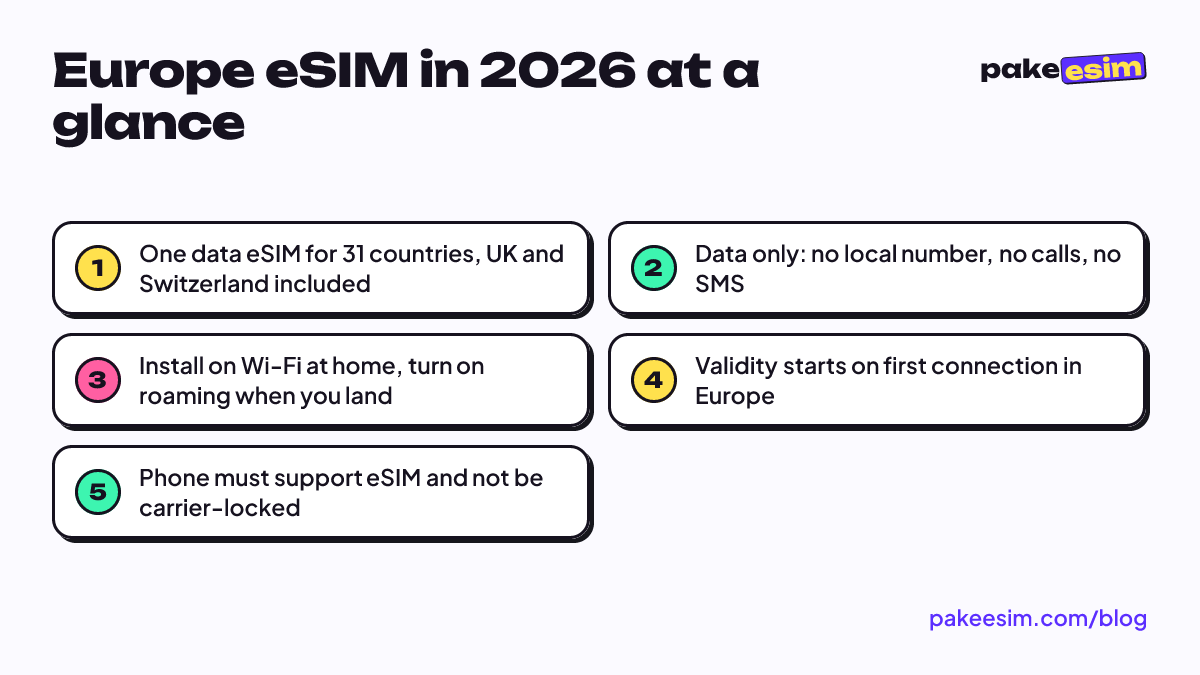
One data-only eSIM covers 31 European countries, UK and Switzerland included. Install it on Wi-Fi at home, turn on roaming when you land, and size the plan to how much you use maps away from Wi-Fi.

Contents
- What is a Europe eSIM, and which countries does it cover?
- Europe eSIM prices for 2026
- How much data do you need in Europe?
- Europe eSIM vs local SIM vs roaming: which one fits?
- How to set up a Europe eSIM before you fly
- 1. Check that your phone supports eSIM
- 2. Buy and pay
- 3. Install the QR on Wi-Fi at home
- 4. Switch on when you land
- Why a Europe eSIM is not working, and how to fix it
- Limits to know before you buy
- Before you fly
A Europe eSIM for travel is a data-only digital SIM that keeps you online across many European countries on one plan, so you don't hunt for a new SIM card at every border. The Pakeesim Europe eSIM covers 31 countries, from Portugal to Finland and including the UK, Switzerland, and Iceland. You install it on Wi-Fi before you fly and switch on data roaming when you land. Your Indonesian number stays on your main SIM for WhatsApp and OTP texts.
Key takeaways (TL;DR)
- The Pakeesim Europe eSIM covers 31 countries, from Portugal to Finland, including the UK, Switzerland, and Iceland.
- The Europe eSIM is data only, with no local number, calls, or SMS, while the home SIM stays active for WhatsApp and OTP texts.
- About 1 GB covers roughly one day of maps, chat, and moderate social media, with heavier streaming needing double that estimate.
- Validity starts when the eSIM first connects to a network in Europe, not on the day of purchase, so buying a few days early is fine.
- The longest Europe eSIM plan runs 30 days, with no top-ups, and checkout is online by QRIS, e-wallet, virtual account, or card, with the total matching the plan price exactly.
What is a Europe eSIM, and which countries does it cover?
An eSIM is a SIM profile you download onto a chip already built into your phone. Nothing ships, nothing gets swapped. A regional Europe eSIM is one profile that works on partner networks in many countries, so a train from Paris to Brussels to Amsterdam doesn't mean three SIM cards or three apps.
The Europe plan sold here covers these 31 countries, as of October 2026:
- Western Europe: Austria, Belgium, France, Germany, Ireland, Luxembourg, Netherlands, Switzerland, United Kingdom
- Southern Europe: Croatia, Cyprus, Greece, Italy, Malta, Portugal, Slovenia, Spain
- Northern Europe: Denmark, Estonia, Finland, Iceland, Latvia, Lithuania, Norway, Sweden
- Central and Eastern Europe: Bulgaria, Czechia, Hungary, Poland, Romania, Slovakia
A few places are not on the list. Microstates such as Monaco, Andorra, San Marino, and Liechtenstein aren't named, and neither are the Western Balkans (Serbia, Bosnia, Montenegro, Albania). Turkey has its own separate plan. If your route dips into any of those, check the Europe plans and coverage page before you buy, or look at the Global plan further down.
Does Europe "have" eSIM? Yes. The more useful question is whether your phone does, and we get to that in the setup section.
Europe eSIM prices for 2026
Prices below are pulled live from the store, so they're always current. Every plan is a fixed amount of data for a fixed number of days.
| Plan | Data | Validity | Price | Per day |
|---|---|---|---|---|
| eSIM Europe 1 GB / 7 Days | 1 GB | 7 days | Rp9.000 | ±Rp1.286 |
| eSIM Europe 2 GB / 15 Days | 2 GB | 15 days | Rp28.500 | ±Rp1.900 |
| eSIM Europe 3 GB / 30 Days | 3 GB | 30 days | Rp39.900 | ±Rp1.330 |
| eSIM Europe 4 GB / 30 Days | 4 GB | 30 days | Rp62.700 | ±Rp2.090 |
People often ask why a Europe eSIM costs more per GB than a local SIM in a single country. Fair question. A regional plan has to work on partner networks across 31 countries without you doing anything at the border, and that convenience is what you pay for. If you spend two weeks in one city, a local prepaid card can work out cheaper per GB. If you're crossing four borders in ten days, the regional plan saves you four rounds of shop visits and setup. We compare both options properly a bit further down.
What you won't pay for: delivery fees or admin fees. The eSIM is digital, so you pay exactly the plan price, and the order is confirmed automatically once your payment goes through.
How much data do you need in Europe?
The store's rule of thumb is simple. About 1 GB covers roughly one day of maps, chat, and moderate social media. If you video call often or stream, double your estimate. That rule assumes you're on mobile data all day, though, and most travelers in Europe aren't. Hotels, hostels, trains, and cafés usually have Wi-Fi, so mobile data mostly gets used while you're walking around, checking train times, or ordering a ride.
So here's how we'd match plans to trips, assuming you lean on Wi-Fi at your accommodation:
| Trip | Typical use | Plan to start with |
|---|---|---|
| 5–7 days, one or two cities | Maps, WhatsApp, a few photos posted at night | 1 GB / 7 days (tight) or 2 GB / 15 days |
| 8–15 days, a classic multi-country route | Maps every day, train apps, ride hailing, light social media | 2 GB / 15 days, or 4 GB / 30 days for heavier days |
| 16–30 days, exchange or long backpacking | Daily navigation, messaging, occasional video calls on Wi-Fi | 4 GB / 30 days, plus a second plan if needed |
| Any length, remote work or heavy streaming | Hotspot for a laptop, video calls on mobile data | Plan on buying more than one eSIM |
Honest opinion: 1 GB for 7 days is tight if you navigate with Google Maps all day and post stories as you go. It works for someone who mostly checks maps and messages and uploads at the hotel. If you're unsure, size up one tier. Running out mid-trip isn't a disaster, since you can buy and install a new plan in a few minutes over hotel Wi-Fi, but it's one more thing to sort out while you're tired.
Two habits stretch any plan:
- Download offline maps for each city before you leave the hotel.
- Turn off automatic photo and video backup on mobile data, and let it sync on Wi-Fi at night.
For a two-week loop like Paris, Amsterdam, Berlin, and Prague, the 2 GB plan below is a sensible starting point for a light user.
For three to four weeks, or if you know you'll use maps heavily, go for the larger plan.
Europe eSIM vs local SIM vs roaming: which one fits?
There are three realistic ways to get online in Europe. Here's how they compare for a traveler flying out of Indonesia.
| Europe eSIM | Local prepaid SIM in Europe | Home carrier roaming | |
|---|---|---|---|
| When you set it up | At home, before you fly | After landing, at a shop or kiosk | Before you fly, through your carrier |
| Works across borders | Yes, all 31 listed countries | Inside the EU/EEA under EU rules; the UK and Switzerland are a separate story | Depends on your carrier's package |
| Keeps your home number active | Yes, the main SIM stays on | Only if your phone has two SIM slots or eSIM plus SIM | Yes |
| Calls and SMS | No, data only | Usually yes, with a local number | Yes, at roaming rates |
| Online the moment you land | Yes | No, after you buy it | Yes |
The EU angle matters here. Under the EU's roam like at home rules, a SIM from one EU country can be used in other EU countries, plus Iceland, Liechtenstein, and Norway, at domestic prices within fair use limits. The UK and Switzerland are not covered. So a French prepaid SIM may cost you extra in London or Zurich, while the Europe eSIM includes both.
When does a local SIM make more sense? When you stay long in one country, need a local phone number, or want calls. When does the eSIM win? On a fast multi-country trip, when you want to be online at the airport, or when your route includes the UK or Switzerland.
Roaming from your Indonesian carrier is the easiest path but often the most expensive per GB. It's worth comparing your carrier's Europe package against the live plan table before you decide.
How to set up a Europe eSIM before you fly
Setup takes about five minutes, and the most important part happens before you leave Indonesia.
1. Check that your phone supports eSIM
Your phone needs an EID (dial *#06# to see it), an "Add eSIM" or "Add Cellular Plan" menu, and no carrier lock. On iPhone, Apple says eSIM works on the iPhone XS and later. Certain dual nano-SIM iPhone models (model codes ending in CH/A or ZA/A) are not supported. Run the phone compatibility check first, or read our iPhone eSIM compatibility list if you're on an iPhone.
2. Buy and pay
Pick a plan, check out, and pay online via QRIS, e-wallet, virtual account, or card. The order is confirmed automatically once payment goes through, and the QR code appears on your order page and is emailed to you. The payment guide walks through the exact amount and payment options.
3. Install the QR on Wi-Fi at home
Scan the QR code from your phone's settings while you're still on Wi-Fi in Indonesia. Apple lists several ways to add an eSIM, and a QR code is one of them. The QR can be scanned only once, so install it on the phone you'll actually travel with. Our step-by-step guide to installing an eSIM on iPhone has screenshots, and the eSIM install guide covers Android too.
4. Switch on when you land
After landing, select the Europe eSIM as your mobile data line and turn on Data Roaming for that line. Keep your Indonesian SIM as the default for calls and texts, with its data roaming off so it doesn't run up charges. The validity period starts when the eSIM first connects to a network in Europe, not when you buy it, so buying a few days early is fine.
Why a Europe eSIM is not working, and how to fix it
Most "no internet" problems in Europe come down to a few settings. Go through these in order:
- Data line: make sure the Europe eSIM, not your Indonesian SIM, is selected for mobile data.
- Data roaming: the switch must be on for the eSIM line. It's off by default on most phones.
- Airplane mode: turn it on, wait a few seconds, then off. This forces a fresh network search, which helps after a long flight or a border crossing.
- Manual network: if there's still no signal, turn off automatic network selection and pick an operator from the list.
- Data used up: plans can't be topped up. If the data is gone, buy a new plan and install the new QR.
If hotspot is the problem rather than the internet itself, our guide to fixing personal hotspot on an iPhone eSIM covers the usual causes. And if none of this helps, contact support with your order number. Support runs 08.00–22.00 WIB, which is Jakarta time, so mornings in Europe line up with afternoons in Indonesia.
Limits to know before you buy
We'd rather you know these now than discover them in a train station in Milan.
- Data only. You don't get a European phone number, and you can't make normal calls or send SMS from the eSIM. WhatsApp calls, FaceTime, and other app calls work over data.
- No top-ups. Each plan is its own eSIM profile. When it runs out, you buy another.
- Fixed duration. The longest plan is 30 days. For a semester abroad, a local SIM with a contract or monthly plan usually makes more sense.
- Prices in rupiah. Checkout runs in rupiah, but payment itself happens online via Midtrans — bank virtual accounts (all banks), QRIS, GoPay, ShopeePay, convenience stores, or credit card, with the total matching the plan price exactly. Paying by card means travelers without an Indonesian bank account or QRIS app, such as those from Australia, can still check out.
- Europe only. The plan doesn't work in the US. For a trip that combines Europe with the US or Asia, the Global 4 GB / 30 days plan covers 88 countries, including the Europe list and the United States. If the US is your main stop, see our USA eSIM guide.
- Carrier-locked phones won't work. A phone locked to a carrier can't install a third-party eSIM, even if the hardware supports it. Buying for a locked or unsupported device is the buyer's responsibility, so check first.
Before you fly
Sort out three things at home. Check your phone, pick a plan that matches how much you'll really use maps away from Wi-Fi, and install the QR while you still have reliable internet. Then the only job left in Europe is flipping on data roaming after landing. When you're ready, compare the Europe eSIM plans and pick the one that fits your route.