Destinations
Malaysia eSIM Prepaid: Price, Data per City, and What to Do If It Fails
A Malaysia eSIM prepaid plan is a data package you install from a QR code before you fly and it activates when you land, from Kuala Lumpur to Kuching. No local number, no passport registration, and your home number keeps working.

Contents
- What is a Malaysia prepaid eSIM, and what can you use it for?
- How much does a Malaysia eSIM prepaid plan cost?
- How many GB does a Malaysia eSIM need for 3, 7, or 14 days?
- Does a Malaysia eSIM work in Kuala Lumpur, Penang, Langkawi, and Borneo?
- eSIM, Indonesian roaming, or a local Malaysian SIM: which one?
- Can a Malaysia eSIM be used in Indonesia or Singapore?
- Why is my Malaysia eSIM not working, or running out fast?
- No signal after landing
- The eSIM won t install at all
- Data runs out too fast
- How to set up a Malaysia eSIM before you fly
- Before you fly to Malaysia
A Malaysia eSIM prepaid plan is a digital data package you install from a QR code before you fly, and it starts working once your phone connects to a network in Malaysia. No queue for a SIM card at KLIA, no handing your passport to a carrier counter, and your home number stays on the phone for WhatsApp and bank codes. One plan covers all of Malaysia, from Kuala Lumpur, Penang, and Langkawi to Johor Bahru and Kuching. You need two things: a phone that supports eSIM, and a phone that isn't carrier-locked.
Key takeaways (TL;DR)
- Pakeesim sells the Malaysia eSIM prepaid plan in four sizes, from 1 GB for 7 days to 4 GB for 30 days, priced in Indonesian rupiah.
- A Malaysia prepaid eSIM is data only, with no Malaysian number, SMS, or regular calls, so your home SIM stays active for WhatsApp and one-time codes.
- The validity of a Malaysia eSIM starts counting when it first connects to a network in Malaysia, not on the day you buy it.
- A Malaysia eSIM plan only works inside Malaysia; a Malaysia plus Singapore or Thailand route needs the Asia eSIM, which covers 20 countries.
- As of October 2026, foreigners buying local prepaid SIMs in Malaysia are limited to two cards per operator, and tourist SIMs end after three months at most.
What is a Malaysia prepaid eSIM, and what can you use it for?
A Malaysia prepaid eSIM is a digital SIM profile loaded with mobile data that you use only while you're in Malaysia. It does the same jobs as any data plan: Google Maps, Grab, WhatsApp, Instagram, QR payments, and video calls through apps, without a plastic card to swap in and out.
The term eSIM comes from phone makers like Apple. Its support page puts it this way:
"An eSIM is an industry-standard digital SIM built into your iPhone, eliminating the need for a physical SIM card." (Apple Support on eSIM for iPhone)
A few things about a Malaysia tourist eSIM tend to confuse people:
- Data only. You don't get a Malaysian number, so you can't receive SMS from a Malaysian bank or calls to a local number. Calls still work through WhatsApp or similar apps.
- Prepaid, not a contract. You pay once and there's no monthly bill. When the data runs out you buy a new QR, because plans can't be topped up.
- It runs as roaming. A prepaid Malaysia eSIM like this connects to Malaysian networks as a roaming subscriber. Seeing a Malaysian carrier name and a roaming icon on your phone is normal.
- Your home number stays on. The eSIM sits next to your main SIM, so one-time codes from your bank still arrive as long as that SIM is active.
If you already know you want one and only need the short buying steps, the Malaysia eSIM tourist guide is quicker. The rest of this page covers the full picture: price, data per city, how it compares with roaming, and fixes when it won't connect.
How much does a Malaysia eSIM prepaid plan cost?
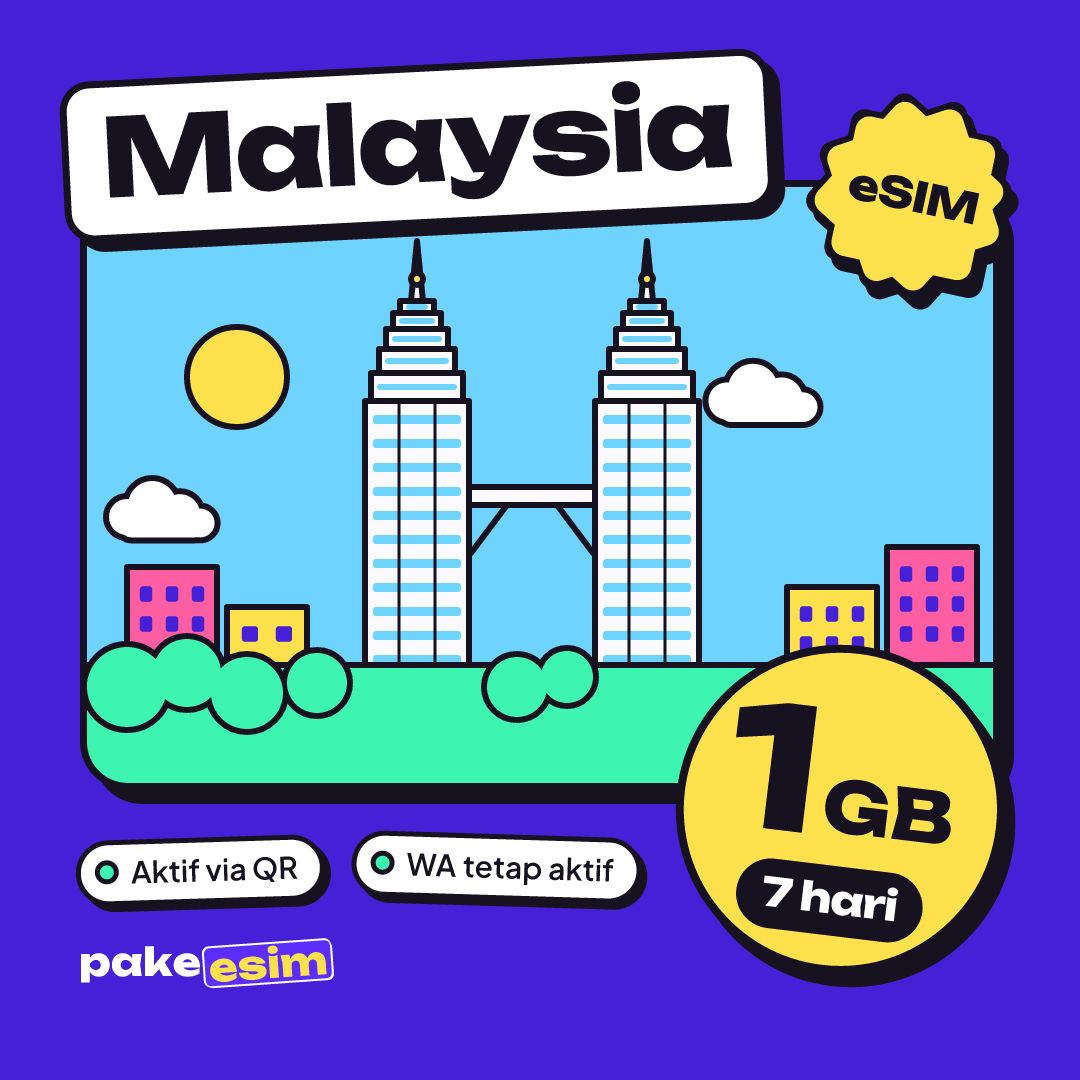
A Malaysia eSIM prepaid plan from Pakeesim starts at 1 GB for 7 days and steps up to 4 GB for 30 days, all priced in Indonesian rupiah (IDR). The table below is read straight from the catalog, so the numbers match what you see at checkout.
| Plan | Data | Validity | Price | Per day |
|---|---|---|---|---|
| eSIM Malaysia 1 GB / 7 Days | 1 GB | 7 days | Rp17.100 | ±Rp2.443 |
| eSIM Malaysia 2 GB / 15 Days | 2 GB | 15 days | Rp28.500 | ±Rp1.900 |
| eSIM Malaysia 3 GB / 30 Days | 3 GB | 30 days | Rp39.900 | ±Rp1.330 |
| eSIM Malaysia 4 GB / 30 Days | 4 GB | 30 days | Rp62.700 | ±Rp2.090 |
The lowest price per day is on a 30-day plan, simply because the validity is long. Cheap per day doesn't always mean you save, though. If your trip is four days in Kuala Lumpur, paying for 26 unused days isn't a bargain.
There's no admin fee or shipping because the product is digital. You pay exactly the plan price, and the order is confirmed automatically once your payment goes through. Payment is online, in rupiah, through bank virtual accounts, QRIS, GoPay, ShopeePay, convenience stores, or credit cards. The steps are on the payment page.
How many GB does a Malaysia eSIM need for 3, 7, or 14 days?
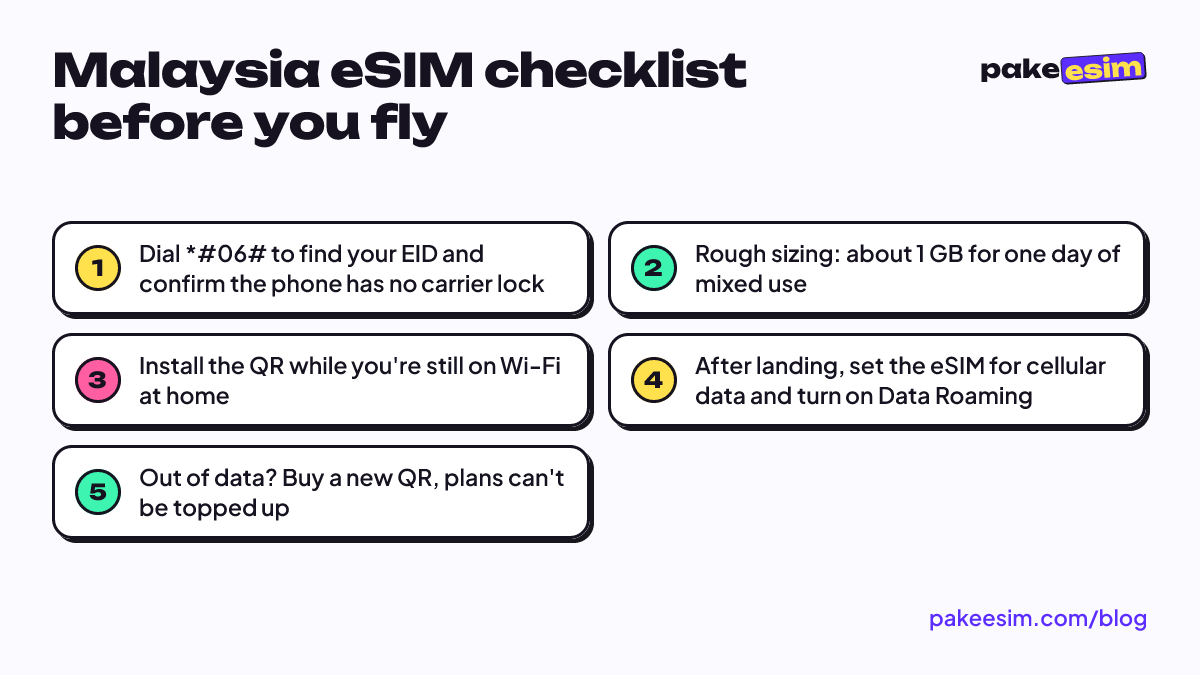
For a 3 to 5 day trip with light use, 1 GB usually works if you lean on hotel Wi-Fi. A week is more comfortable with 2 or 3 GB, and two weeks or more is better with 4 GB. Our store's rule of thumb is roughly 1 GB for one day of mixed use: maps, chat, and a reasonable amount of social media.
That rule is deliberately generous. Real usage depends heavily on habits. Someone who only opens Maps and Grab on the street and watches YouTube on hotel Wi-Fi will use far less than someone who goes live on Instagram from the Petronas Twin Towers every night.
| Trip plan | Usage style | Sensible plan |
|---|---|---|
| 3-day weekend in Kuala Lumpur | Maps, Grab, WhatsApp, hotel Wi-Fi | 1 GB / 7 days |
| 5 to 7 days, KL plus Genting or Melaka | Maps, chat, daily photo uploads | 2 GB / 15 days |
| 7 to 10 days, KL plus Penang plus Langkawi | Lots of photos and video, occasional video calls | 3 GB / 30 days |
| 2 weeks or more, short course, or a Borneo loop | Heavy daily use, frequent hotspot | 4 GB / 30 days |
In our view, 1 GB is too tight for 7 days if you often hotspot a laptop or share data with friends. For family trips, it's safer for each person to install their own eSIM than to turn one phone into a hotspot for four people.
For a long stay or remote work from Malaysia, the 30-day plan with the most data makes more sense:
Does a Malaysia eSIM work in Kuala Lumpur, Penang, Langkawi, and Borneo?
Yes. The same Malaysia eSIM works in every Malaysian city, so there's no separate plan for Kuala Lumpur, Penang, or Kuching. What changes from place to place is how you use data and how strong the signal is, especially between big cities and the interior.
- Kuala Lumpur. A Kuala Lumpur eSIM mostly goes to Grab, Maps in LRT/MRT stations, and payments. The city is dense, so signal is rarely the issue. Data goes fast if you upload a lot of video from Bukit Bintang.
- Penang. In George Town people walk around hunting murals and food stalls, so Maps stays on all day. Pack a power bank, not just data.
- Langkawi. The island is quieter. Beaches and main roads are fine, but on hills or boat trips to smaller islands the signal can drop. Download offline maps before leaving the hotel.
- Genting Highlands. Coverage is solid around the resort area, but the mountain road up can be patchy. Don't wait until you're halfway down to book a ride back.
- Johor Bahru (JB). A Malaysia eSIM is handy in JB for shopping and malls, but once you cross into Singapore, the Malaysia plan stops working. For a JB plus Singapore route, use the Asia eSIM.
- Borneo (Sabah and Sarawak). A Malaysia eSIM works in Borneo on the same plan, since Kuching, Kota Kinabalu, and Miri are all in Malaysia. City signal is normal, but in the interior, national parks, or on rivers, mobile coverage is limited for every operator.
One thing people forget: weak signal deep in Borneo isn't the eSIM's fault. There just aren't many towers out there yet, and a local physical SIM has the same problem.
eSIM, Indonesian roaming, or a local Malaysian SIM: which one?
For most visitors, a data eSIM is the most practical choice because you set it up at home and skip passport registration in Malaysia. Roaming with an Indonesian carrier such as Telkomsel is the simplest but usually costs more per GB, while a local Malaysian SIM now requires your original passport at an official outlet.
Malaysia's rules for tourist SIMs changed in 2026. According to Bernama's report on MCMC's new prepaid SIM registration rules, non-citizens are limited to two SIM cards per service provider, passports are verified biometrically, and tourist SIMs are automatically terminated after a maximum of three months. That's the rule as of October 2026, and it may change again.
| Option | Pros | Cons |
|---|---|---|
| Prepaid data eSIM | Installed before you leave, active when you land, home number keeps working | No Malaysian number, phone must support eSIM |
| Indonesian carrier roaming | Nothing to install, same number | Usually pricier per GB, roaming packages differ by carrier |
| Local Malaysian SIM | Malaysian number for local SMS and calls | Queue at an outlet, original passport required, two cards per operator max |
The Malaysian operators you'll likely see on your screen include CelcomDigi, Maxis, and U Mobile. You need a local SIM only if you really need a Malaysian number, for example for work or to receive codes from Malaysian services. For a holiday, a data eSIM is usually enough.
Can a Malaysia eSIM be used in Indonesia or Singapore?
No. A Malaysia eSIM only connects to networks in Malaysia, so it won't give you data in Indonesia or Singapore. If you install it in Jakarta, the profile stays saved and only starts working once the phone lands and finds a Malaysian network.
Installing the Malaysia eSIM profile while you're still in Indonesia is exactly what we recommend. It's only the data that doesn't run there. The validity also doesn't start until the eSIM connects in Malaysia, so buying a few days early is fine.
If what you want is roaming data inside Indonesia, for example on an international iPhone whose IMEI isn't registered with Indonesian Customs (Bea Cukai), that's a different product: the Indonesia eSIM. For multi-country routes, use the Asia eSIM covering 20 countries, including Malaysia and Singapore. Indonesia isn't part of the Asia eSIM coverage, so the Asia plan won't work at home either.
Why is my Malaysia eSIM not working, or running out fast?
A Malaysia eSIM that won't connect is almost always caused by Data Roaming being off on the eSIM line, the eSIM not being selected for cellular data, or a carrier-locked phone. Data that disappears quickly usually comes from hotspot use, automatic photo backups, or videos autoplaying on social media.
No signal after landing
- Open your cellular settings and make sure the Malaysia eSIM is selected as the Cellular Data line.
- Turn on Data Roaming for that eSIM line. Turn roaming off on your Indonesian SIM if you don't want your home carrier's roaming charges.
- Switch on airplane mode for about 10 seconds, then switch it off so the phone searches again.
- Still nothing? Pick a network operator manually from the list.
The eSIM won't install at all
The most common cause is a carrier lock, usually on secondhand phones from the US or Japanese market. Apple explains how to check in its official guide to iPhone carrier locks: open Settings, General, About, and look for "No SIM restrictions" next to Carrier Lock. Dual nano-SIM iPhones with model codes CH/A and ZA/A also don't support eSIM. Check the phone eSIM compatibility page before you pay, because the QR code can only be scanned once. Android users can read how to check eSIM support on Android phones.
Data runs out too fast
- Turn off iCloud Photos or Google Photos backup over cellular data.
- Set autoplay on Instagram, TikTok, and Facebook to Wi-Fi only.
- Limit hotspot use. A connected laptop can quietly download system updates.
- Download Google Maps offline for Kuala Lumpur or Penang before leaving the hotel.
How to set up a Malaysia eSIM before you fly
Install the Malaysia eSIM at home or at the airport while you're on Wi-Fi, then turn its data on after landing at KLIA, Penang, or Kuching. It takes about five minutes once you've checked your phone.
- Choose a plan in the catalog, check out, and pay the exact total on the Midtrans payment page: bank virtual account, QRIS, GoPay, ShopeePay, convenience store, or credit card. Unpaid orders expire after 3 hours.
- Once your payment goes through, the QR code appears on your order page and is emailed to you automatically.
- On iPhone, go to Settings, Cellular, Add eSIM, then scan the QR. Step-by-step screenshots are in how to install an eSIM on iPhone.
- On Android, the menu is usually Settings, Connections, SIM Manager, Add eSIM. Brand-by-brand steps are in the iPhone and Android eSIM setup guide.
- Label the eSIM line "Malaysia" so you don't mix it up with your Indonesian SIM.
- After landing, select the Malaysia eSIM for cellular data and turn on Data Roaming.
Customer support is open 08:00 to 22:00 Western Indonesia Time (WIB, UTC+7). If your flight leaves at dawn, don't order at midnight the night before. Order a day or two ahead.
Before you fly to Malaysia
A Malaysia eSIM fits holidays and short trips best. You're online as soon as the wheels touch the runway, with no passport paperwork at a carrier counter. Check your phone first, work out your data needs from your itinerary, and pick a plan size from the table above.
If your route stretches to Singapore or Thailand, look at the Asia eSIM. If it's Malaysia only, all the plans are in the Malaysia eSIM catalog. Enjoy the nasi lemak, and don't forget your offline maps.