Destinations
UK eSIM for Tourists 2026: Data From London to Edinburgh, Setup, Fixes
A UK eSIM for tourists is a prepaid, data-only eSIM for mobile internet in Britain. For a week in London, 2 GB is enough if you use hotel WiFi at night; for two weeks or more, take 3–4 GB for 30 days. Your phone must support eSIM and not be carrier-locked.

Contents
- What is a UK eSIM for tourists, exactly?
- UK eSIM prices and plan options
- How much data do you need for London?
- Winter and year-end trips
- Our pick for a one-week trip
- UK eSIM, roaming, or a local UK SIM: which one?
- How do you install a UK eSIM on iPhone and Android?
- General steps
- Your Indonesian number stays active
- Why is my UK eSIM not working?
- Can a UK eSIM be used in Indonesia?
- UK plus Paris or Amsterdam: which eSIM should you use?
- Before you fly to Heathrow
A UK eSIM for tourists is a prepaid, data-only digital SIM that connects to mobile networks in the United Kingdom, so you can open Maps, WhatsApp, and Citymapper the moment you land at Heathrow instead of hunting for a SIM card kiosk. For a one-week holiday in London, 2 GB is a sensible size if you use hotel WiFi at night. If your route stretches to Manchester or Edinburgh, go for 3–4 GB valid for 30 days. There are only two requirements: your phone supports eSIM, and it isn't carrier-locked.
Key takeaways (TL;DR)
- The UK eSIM from Pakeesim is a data-only plan, with no UK phone number, no SMS, and no top-ups.
- UK data plans come in 1 GB/7 days, 2 GB/15 days, 3 GB/30 days, and 4 GB/30 days, paid in Indonesian rupiah through Midtrans (VA, QRIS, e-wallet, or card).
- A UK plan's validity starts when the eSIM first connects to a network in the United Kingdom, not when you buy it.
- Mobile operators in the UK have switched off their 3G networks, so a phone needs 4G or 5G support to get data there.
- Your Indonesian number stays active on the main SIM for WhatsApp and bank OTPs, while the UK eSIM handles data only.
What is a UK eSIM for tourists, exactly?
A UK eSIM for tourists is a digital SIM profile for mobile data in Britain that you install by scanning a QR code, not by inserting a plastic card. "eSIM" stands for embedded SIM: a SIM chip built into your phone that can download an operator profile over the air.
You'll often see UK eSIMs described as "pay as you go" (PAYG). That's the British term for prepaid. You pay once upfront and use the plan until the data or the validity runs out, with no monthly bill. A UK eSIM pay as you go plan works the same way.
A few things worth knowing before you buy:
- The UK plans in our store are data only. There's no +44 number, no SMS, and no regular phone calls.
- Calls and video calls still work through apps like WhatsApp, FaceTime, or Google Meet.
- Plans can't be topped up. If you run out, you buy a new QR code and install it as a second profile.
- Each QR code can only be scanned once, so install it on the phone you're actually taking to the UK.
UK eSIM prices and plan options
UK eSIM plans come in four sizes, from 1 GB for 7 days up to 4 GB for 30 days. The prices in the table below are pulled live from our catalog, so they're always current.
| Plan | Data | Validity | Price | Per day |
|---|---|---|---|---|
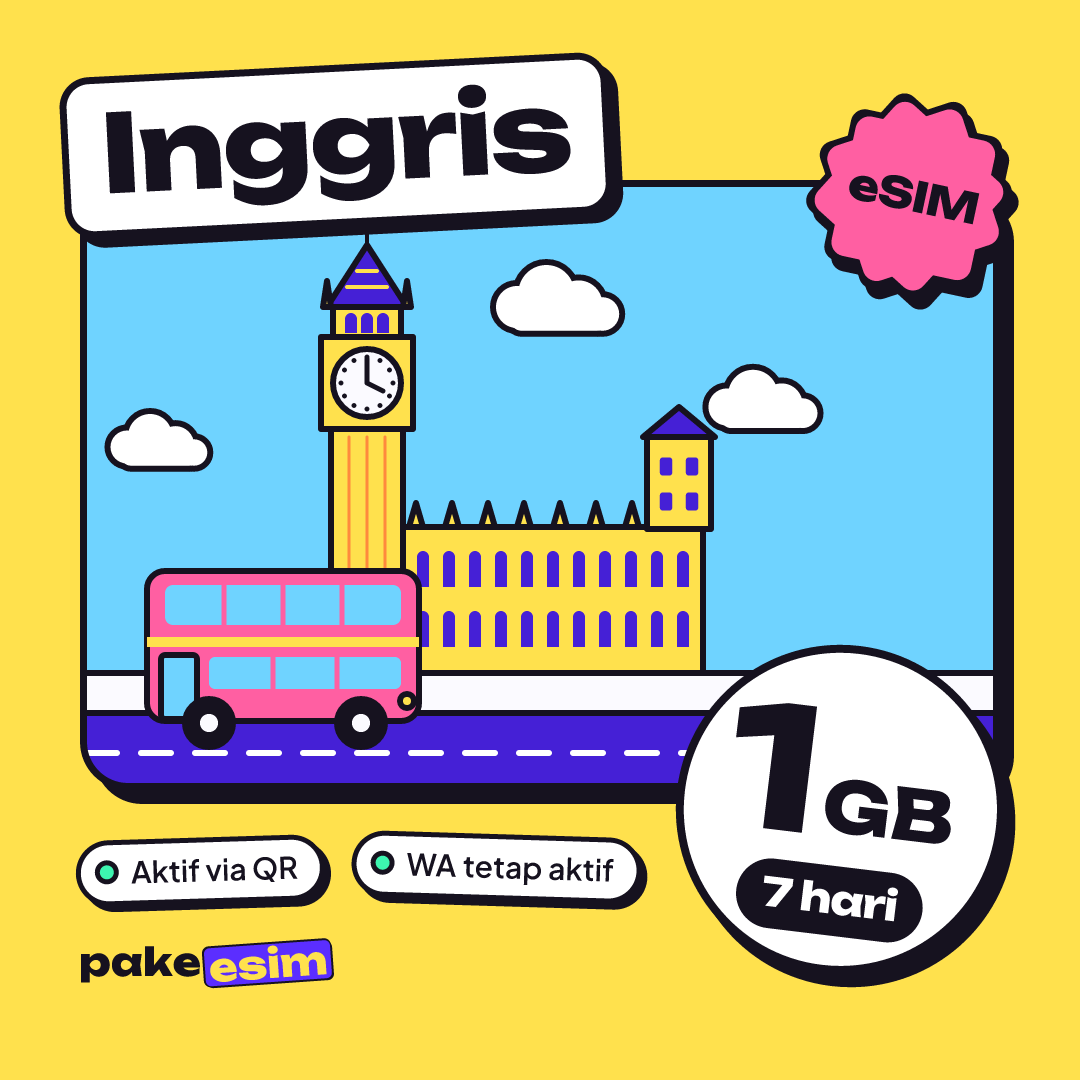
| eSIM United Kingdom 1 GB / 7 Days | 1 GB | 7 days | Rp17.100 | ±Rp2.443 |
| eSIM United Kingdom 2 GB / 15 Days | 2 GB | 15 days | Rp28.500 | ±Rp1.900 |
| eSIM United Kingdom 3 GB / 30 Days | 3 GB | 30 days | Rp39.900 | ±Rp1.330 |
| eSIM United Kingdom 4 GB / 30 Days | 4 GB | 30 days | Rp62.700 | ±Rp2.090 |
Coverage includes London, Manchester, Edinburgh, and the other university towns around Britain. To see every option side by side, open the UK eSIM plan catalog. Payment is online in rupiah through Midtrans: bank virtual accounts, QRIS, GoPay, ShopeePay, convenience stores, or credit cards, with the total matching the plan price and no admin fee. The steps are on our payment page. Once you pay, the QR code appears on your order page and is emailed to you.
An honest note on the 1 GB / 7-day plan. We think it's too tight if you spend whole days walking around London with Maps open. It suits a transit stop, a two- or three-day business trip, or a backup if you're mostly on campus WiFi.
How much data do you need for London?
A UK eSIM for a 7-day holiday in London is ideally 2 GB, assuming you use hotel WiFi at night and keep mobile data for Maps, chat, and a reasonable amount of social media. Our rule of thumb is that 1 GB covers about one full day of that kind of heavy use without WiFi.
Your travel style changes the math. A nightly video call home or uploading Reels from Tower Bridge eats data fast. If that's you, double your estimate.
| Trip plan | Typical usage | Plan that makes sense |
|---|---|---|
| Transit or a 2–3 day business trip | Maps, email, chat | 1 GB / 7 days |
| 7–10 day holiday in London | Maps, chat, some Instagram, hotel WiFi at night | 2 GB / 15 days |
| Two weeks in London plus Manchester or Edinburgh | Maps between cities, digital train tickets, social media | 3 GB / 30 days |
| Short course, conference, or a month of summer school | Campus email, occasional Zoom, hotspot to a laptop | 4 GB / 30 days |
Winter and year-end trips
November and December are the start of winter in the UK, and plenty of travelers from Indonesia pick London for the year-end holidays. Days in Britain are short in November and December. You'll be opening Maps on streets that are already dark and booking rides through apps more often. Go one size up from your usual pick, and buy early so the QR code is installed before you fly.
Our pick for a one-week trip
For most tourists staying about a week in London, the 2 GB / 15-day plan leaves plenty of room on validity, and the data fits daily navigation.
If your route runs two weeks or longer, or you often share a hotspot with a laptop, step up to 3 GB or 4 GB for 30 days.
UK eSIM, roaming, or a local UK SIM: which one?
A prepaid UK eSIM is usually the most practical choice for tourists from Indonesia, because it's already working when you land and you pay in rupiah. Roaming with an Indonesian operator is simpler but generally costs more per GB. A local UK SIM gives you a +44 number, which helps on longer stays.
| Option | Pros | Cons |
|---|---|---|
| Prepaid UK eSIM | Install at home, works on landing, pay in rupiah, Indonesian number keeps working | Data only, no UK number, phone must support eSIM |
| Roaming with Telkomsel, XL, or Indosat | Nothing to install, same number | Check your operator's roaming rates and data, usually pricier per GB |
| Local UK physical SIM (EE, Vodafone, O2, Three) | +44 number, good for study or long-term work | Bought after arrival, sometimes means finding a shop first |
If you're a student staying a year and need a UK number for a bank account or a rental contract, a local SIM makes more sense long term. A UK eSIM is still handy for your first week, before you get around to sorting out a local card. For a deeper look at how roaming eSIMs work, read our explainer on what a travel eSIM is and how it works.
How do you install a UK eSIM on iPhone and Android?
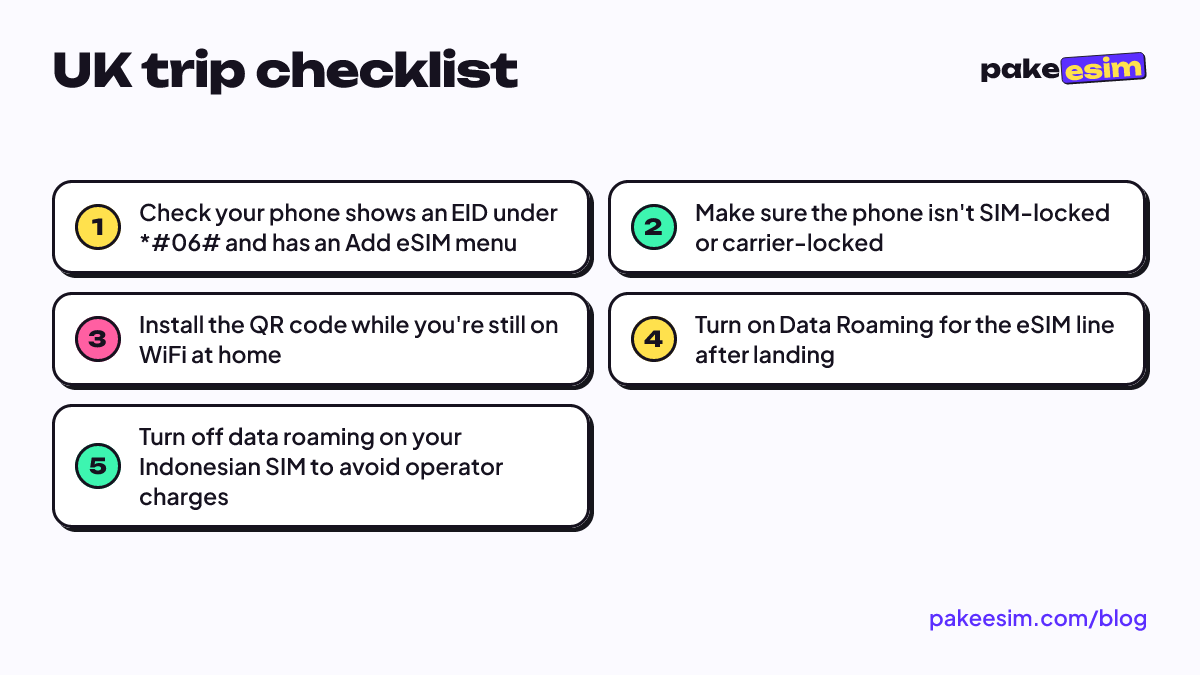
A UK eSIM is best installed in Indonesia while your phone is on WiFi, with its data roaming switched on only after your plane lands in the UK. Doing it in that order saves you from scanning a QR code at the airport with no internet.
General steps
- Check your phone first on our eSIM phone compatibility page. The quickest sign is an EID showing up when you dial *#06#.
- Pay for your order, then open the order page to see the QR code.
- On iPhone, go to Settings, Cellular, Add eSIM, and scan the QR code. On Android, look for the SIM or Connections menu, then Add eSIM.
- Label the new line, for example "UK Data", so you don't mix it up with your Indonesian SIM.
- Once you're in the UK, choose the eSIM line for Cellular Data and turn on Data Roaming for that line.
Apple's official guide to setting up eSIM on iPhone walks through scanning the QR code with screenshots. For Samsung, check the list of Galaxy phones that support eSIM on Samsung's site. Our own illustrated steps are in the eSIM installation guide for iPhone and Android.
Your Indonesian number stays active
An iPhone with two lines can keep the Indonesian SIM for WhatsApp and bank OTPs while the UK eSIM handles data. The catch is that only one line uses mobile data at any given time.
"Your iPhone can use one cellular data network at a time." (Apple Support on Dual SIM)
So point Cellular Data at the UK eSIM and switch off data roaming on your Indonesian SIM. Forget that, and your operator's roaming charges can quietly add up. Curious which iPhones can hold two eSIMs at once? See our list of iPhone models that support dual eSIM.
Why is my UK eSIM not working?
A UK eSIM usually fails because the phone is still carrier-locked, Data Roaming isn't on for the eSIM line, or Cellular Data is still set to the Indonesian SIM. Those three account for nearly every "I have signal but no internet" case.
Try these in order before you panic:
- Pick the right data line. Cellular Data should use the UK eSIM, not your Indonesian SIM.
- Turn on Data Roaming for that eSIM line. The profile connects through partner networks in the UK, so without data roaming, there's no internet.
- Toggle airplane mode on and off once to force a fresh network search.
- Choose a network manually from the carrier list if automatic selection can't find one.
- Check the carrier lock. A phone bought abroad that's still SIM-locked can't use an eSIM from another provider. Apple explains this on its page about carrier locks on iPhone.
There's one cause that's specific to Britain. UK operators have shut down their 3G networks, so an older phone that only supports 3G won't get any data at all. Cornwall Council's page explaining the switch-off of the UK's 2G and 3G networks notes that 4G and 5G phones are generally not affected. Almost every eSIM-capable phone already has 4G, so this is rare. It's still worth knowing if you're bringing an old backup phone.
If the eSIM menu doesn't show up on your Android phone, read our guide to checking Android phones for eSIM support and fixing a missing menu. If you've tried everything, contact our team with your order number between 08:00 and 22:00 Western Indonesia Time (WIB, UTC+7).
Can a UK eSIM be used in Indonesia?
A UK eSIM can't be used for internet in Indonesia, because the plan only works on UK networks. So if you're wondering whether to use a UK or an Indonesian eSIM, the answer depends on where you are. Use the UK eSIM in London and your Indonesian SIM at home, as usual.
This question usually comes up in two situations:
- You're back from London with data left over. The remaining data can't be used in Indonesia. Delete the profile once its validity ends to keep your SIM list tidy.
- A friend from the UK is visiting Indonesia. They need an Indonesia plan, not a UK one. Those plans are in the Indonesia eSIM catalog.
A UK plan's validity also only starts when the eSIM first connects to a network in the UK. That means it's safe to buy a week before you fly, without losing active days while you're still in Jakarta.
UK plus Paris or Amsterdam: which eSIM should you use?
If your route goes from London to Paris, Amsterdam, or elsewhere in Europe, a Europe eSIM is more practical because one profile covers 31 countries, the UK included. You won't have to switch profiles when the Eurostar comes out of the tunnel in France.
The UK isn't part of the European Union, so don't assume every "Europe" plan automatically covers it. Our Europe plan does include the UK in its country list, but always check the list on the plan page before you pay. Working out data for a multi-country route is covered in our Europe eSIM guide for 31 countries.
If your trip stays inside the UK, including Scotland and Wales, the UK plan is enough and more focused.
Before you fly to Heathrow
Check your phone's compatibility, make sure it isn't SIM-locked, buy a plan that matches your trip length, and install the QR code at home. Five minutes in Indonesia can save an hour of confusion at the airport. If you're torn between 2 GB and 3 GB, take the bigger one. Ending the trip with a little data left beats running out while you're looking for a Tube station at night.