Destinations
International eSIM for Travel: Which Plan for a Multi-Country Trip?
For trips across two or more continents, a Global eSIM covering 88 countries is the simplest pick. Staying in one region? A regional or country plan works. Your phone must support eSIM and be carrier-unlocked.

Contents
- Can I use an eSIM for international travel?
- Global eSIM, regional plan, or country plan: which one fits your route?
- How much is an eSIM for international travel?
- How many GB do you need for a multi-country trip?
- Planning an international eSIM for Christmas vacation or New Year s?
- Why is my international eSIM for travel not working?
- Before you fly
The best international eSIM for travel across several countries is one profile that already covers your whole route, so you scan a single QR code at home and stay online from the first airport to the last. For trips that cross continents, a Global eSIM covering 88 countries does that job. For a route inside one region, a regional or single-country plan usually stretches your data further. Either way, your phone needs eSIM support and no carrier lock, and the plan gives you mobile data only, not a local phone number.
Key takeaways (TL;DR)
- A Global eSIM from Pakeesim covers 88 countries across Asia, Europe, the Americas, the Middle East, Africa, and Oceania in one profile.
- Global eSIM plans come in four sizes as of October 2026: 1 GB for 7 days, 2 GB for 15 days, 3 GB for 30 days, and 4 GB for 30 days.
- The validity of a travel eSIM starts when it first connects to a network at the destination, not on the day you buy it.
- A travel eSIM is data only, with no local number, SMS, or top-ups, so a new plan is needed when the data runs out.
- Payment is online in rupiah via QRIS, e-wallets, bank virtual accounts, or card, with no admin fee, and the order is confirmed automatically once paid; unpaid orders expire after 3 hours.
Can I use an eSIM for international travel?
Yes, you can use an eSIM for international travel as long as your phone supports eSIM and is not locked to a carrier. You install the travel eSIM as a second line next to your home SIM, then switch mobile data to it when you land. Your home number stays on the phone for WhatsApp and bank OTP texts.
Apple puts the technical side plainly:
"International roaming with an eSIM works the same as roaming with a physical SIM." (Apple Support on eSIM and travel)
So an international eSIM is not a special kind of network. It is a roaming data line delivered as a download instead of a plastic card. Before you buy, check these points on your phone:
- It shows an EID when you dial *#06#.
- Settings has an Add eSIM or Add Cellular Plan menu.
- It is not SIM-locked or carrier-locked.
- It is not one of the dual nano-SIM iPhone versions with model codes CH/A or ZA/A, which do not support eSIM.
Not sure? The phone eSIM compatibility checker walks you through it in about two minutes.
Global eSIM, regional plan, or country plan: which one fits your route?
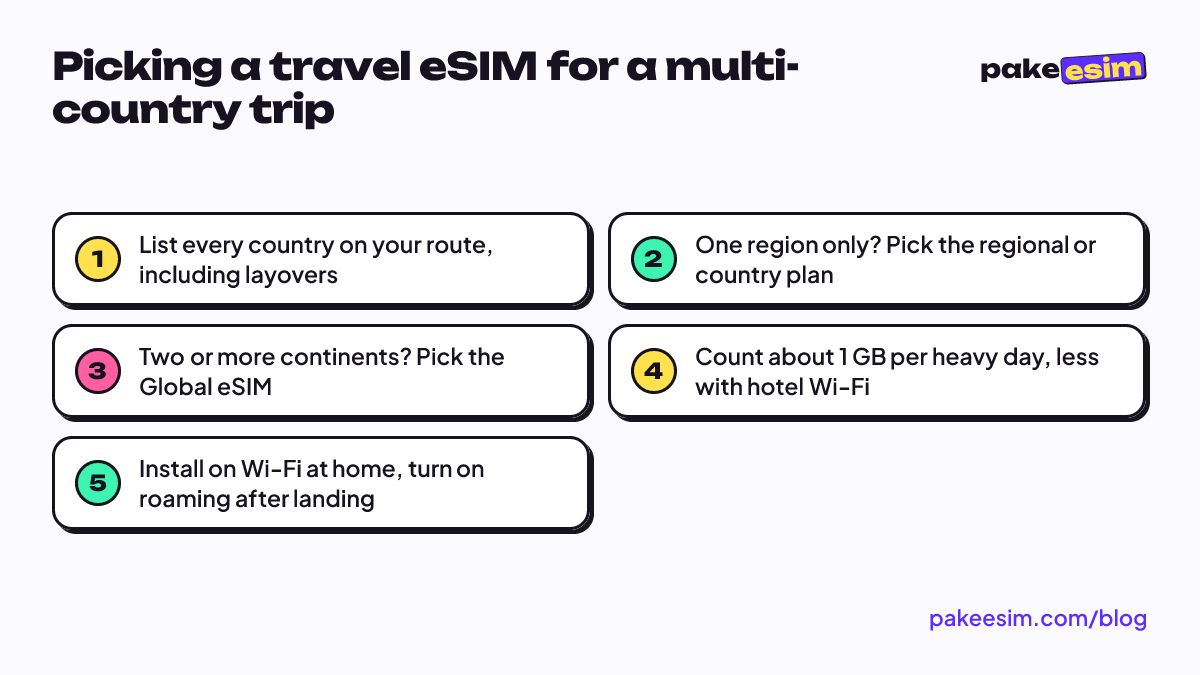
A Global eSIM fits a route that touches two or more continents, such as Jakarta to Tokyo, then on to London. A regional plan fits a route inside one area, like Bangkok, Hanoi, and Siem Reap. A single-country plan fits a trip that stays in one place. Prices start at the same level, so coverage is the real deciding factor.
| Option | Best for | Coverage | What to watch |
|---|---|---|---|
| Global eSIM | Trips across two or more continents | 88 countries in one profile | Check that every stop is on the country list |
| Regional eSIM (Asia, Europe, Africa, and others) | Several countries in one region | 3 to 31 countries, depending on the region | Leaving the region means a second plan |
| Single-country eSIM | One destination, like Japan or Saudi Arabia | One country | Day trips across a border are not covered |
| Home carrier roaming | Very short trips with no setup time | Depends on your carrier | Usually far pricier per GB |
| Physical local SIM card | Long stays that need a local number | One country | Queues at the airport, and you swap cards |
Some quick examples. Japan, Korea, and Taiwan in one trip? The Asia plan covers 20 countries including all three, and our Asia eSIM travel guide has the full list. A Paris, Rome, and Zurich loop sits inside the 31-country Europe plan explained in the Europe eSIM for travel guide. Umrah plus Istanbul plus a stop in Cairo? That crosses into Africa on paper, so the Global eSIM is the simpler pick. You can also browse plans by region on the plan catalog.
An "international SIM card for travel" is the older version of the same idea. It works in any phone, including ones without eSIM, but you have to receive the card, pop out your home SIM, and keep track of a tiny piece of plastic. If your phone supports eSIM, there is little reason to go physical.
How much is an eSIM for international travel?
As of October 2026, a Global eSIM at Pakeesim starts at around IDR 30,000 for 1 GB valid 7 days, and the largest plan is 4 GB valid 30 days. Prices are in rupiah and can change, so the live table below is the one to trust.
| Plan | Data | Validity | Price | Per day |
|---|---|---|---|---|
| eSIM Global 1 GB / 7 Days | 1 GB | 7 days | Rp9.000 | ±Rp1.286 |
| eSIM Global 2 GB / 15 Days | 2 GB | 15 days | Rp28.500 | ±Rp1.900 |
| eSIM Global 3 GB / 30 Days | 3 GB | 30 days | Rp39.900 | ±Rp1.330 |
| eSIM Global 4 GB / 30 Days | 4 GB | 30 days | Rp62.700 | ±Rp2.090 |
People often ask about specific countries. India and mainland China are both on the Global eSIM list, so the price is the same as for any other covered country. They are also on the Asia plan, and China has its own single-country plan, covered in detail in our China eSIM guide for tourists. For a wider look at what drives cost and coverage, see international eSIM plans compared by cost and coverage.
How many GB do you need for a multi-country trip?
Plan on roughly 1 GB for each day you lean on maps, chat, and social media away from Wi-Fi, which is the store's own rule of thumb. If you video call or stream often, double it. Hotel Wi-Fi brings the real number down a lot.
That rule makes the plan choice fairly simple:
- A 5 to 7 day trip with hotel Wi-Fi every night fits the 1 GB or 2 GB plan.
- A 10 to 15 day trip with moderate use fits the 2 GB plan if you are careful, or the 3 GB plan if you are not.
- A 2 to 4 week trip, or anyone who shares a lot of photos on the go, fits the 4 GB plan.
Our honest take: 1 GB for a full week of navigating unfamiliar cities is tight. If you will rely on Google Maps every day and hop between three countries, the 3 GB plan is the safer floor.
Remember that plans cannot be topped up. If you burn through the data early, you buy a fresh plan and scan a new QR code, which takes a few minutes on any Wi-Fi.
Planning an international eSIM for Christmas vacation or New Year's?
A few December-specific tips:
- Order a week or two before you fly. The validity only starts at your first connection abroad, so buying early costs you nothing.
- Size up one step. Holiday trips tend to mean more photos, more video calls home at midnight, and more time away from hotel Wi-Fi.
- Install the eSIM at home on Wi-Fi, not at a crowded airport on the 30th.
- Note the time zone gap. If you land in Europe on December 24 evening local time, it is already early morning in Jakarta.
US-bound for the holidays? The USA eSIM guide for Christmas and New Year's goes deeper, but the Global eSIM also covers the United States, Canada, and Mexico if your route continues elsewhere.
Why is my international eSIM for travel not working?
An international eSIM that shows no data abroad is almost always a settings issue. The usual causes are mobile data still set to the home SIM, Data Roaming switched off on the eSIM line, or the phone stuck on a network it cannot use. Work through the checks below in order.
- Set the travel eSIM as the line for cellular data. Apple notes that "One number at a time can use cellular data," as its guide to using two SIMs on iPhone explains.
- Turn on Data Roaming for the eSIM line, not the home line.
- Toggle airplane mode on and off once to force a fresh network search.
- Still nothing? Turn off automatic network selection and pick an operator manually from the list.
- Check that the eSIM line itself is turned on in Settings.
One mistake to avoid: do not delete the eSIM profile to "reset" it. A QR code can usually be scanned only once, so a deleted profile often cannot be reinstalled. The full screenshots are in the step-by-step eSIM installation guide, and iPhone users can follow how to install eSIM on iPhone.
Before you fly
Check your phone first, then match the plan to your route. Two continents or more, go Global. One region, go regional and save the hassle of a long country list. Payment is online in rupiah via QRIS, e-wallets, bank virtual accounts, or card, and the payment guide shows each step. Unpaid orders expire after 3 hours, so place the order when you are ready to pay. Safe travels, and enjoy the holidays.